
Get paid
Clients book themselves, and pay when they do
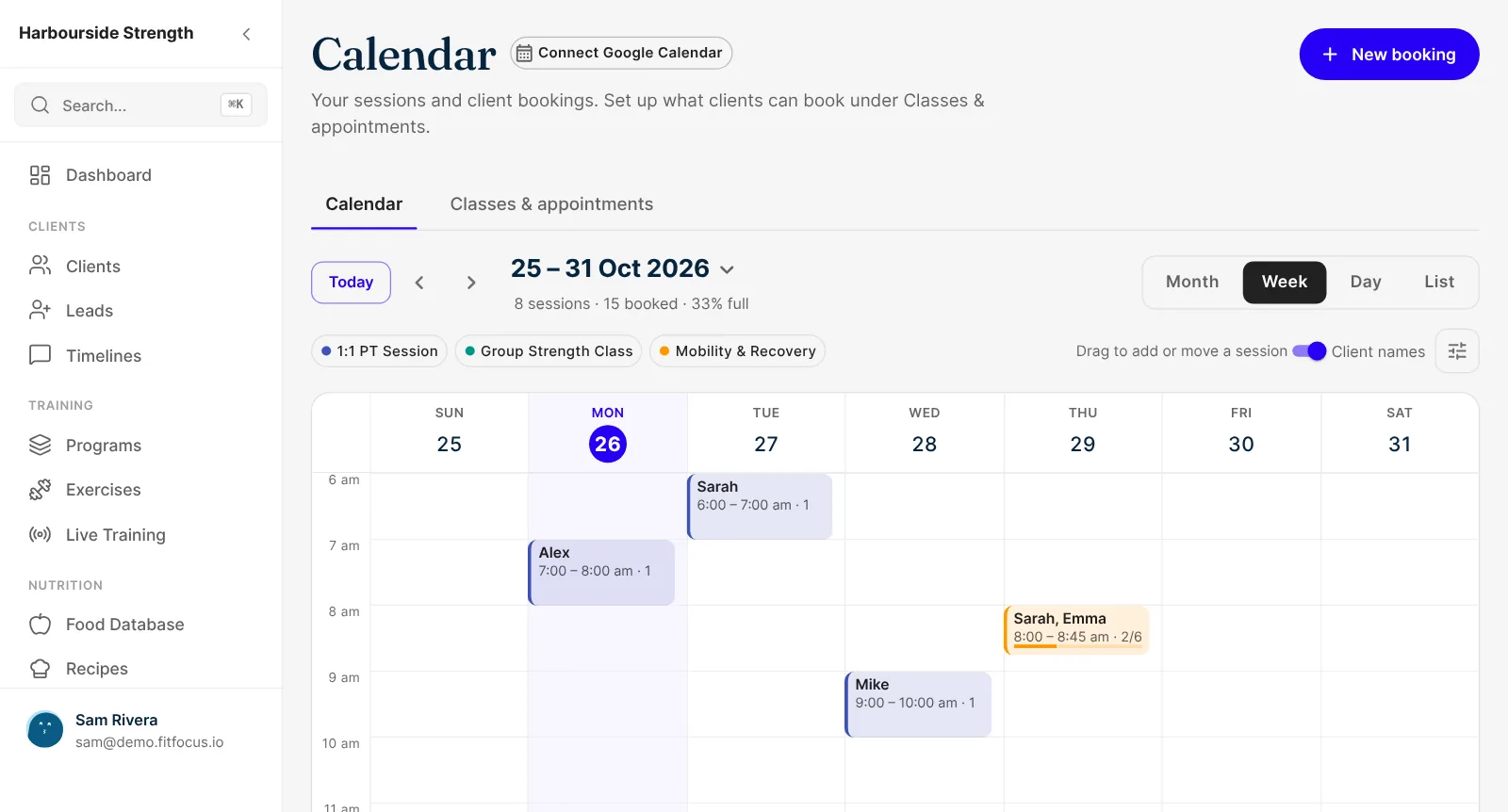
Set your available hours and clients book from them in your app. Google Calendar keeps you from being double-booked, and paid sessions are invoiced as they're booked.
What you get
Why coaches pick Scheduling and Booking
Clients book without messaging you
Set the hours you're available and clients book from them inside your app.
No double-booking
Times you're busy in Google Calendar aren't offered, and time off comes off the calendar too.
Cancel and reschedule on your terms
Choose how many hours before a session clients can still change it, and they do it themselves up to then.
Paid sessions invoiced as they're booked
Turn on payment for a session type and the session is invoiced through your own Stripe account.
Self-booking
Your hours, booked by your clients
Set the hours you're available and clients book from them inside your app. Times you're busy in Google Calendar aren't offered. Block out time off and it comes off the calendar too.
- Weekly available hours
- Checked against Google Calendar busy times
- Time off blocked out
Your rules
Rescheduling and cancelling on your terms
Choose how many hours before a session clients can still cancel or reschedule. Up to then, they do it themselves in the app, without a message to you.
- A cancel and reschedule window per session type
- A cancellation policy note clients see
- Recurring bookings with a limit per client
Groups
Group sessions with a capacity
Run small-group sessions and classes alongside your one-to-ones. Set a capacity and the session stops taking bookings when it's full. Clients can book with you or with any coach on the team.
- Capacity per session
- Recurring weekly sessions
- Book a set coach or any coach
Reminders and payment
Reminders that go out without you
Clients get a confirmation email in your brand, plus push and email reminders before the session. Turn on payment for a session type and the session is invoiced through your own Stripe account.
- Branded confirmation emails
- Push and email reminders
- Paid sessions, invoiced to the client
Where booking fits
Paid sessions are invoiced through payments. Clients book inside your white-label client app, and enquiries that turn into clients start in the CRM.
Keep exploring
Related features
Get paid
Sell programs and memberships, and invoice meal plans and sessions, into your own Stripe account. Access follows payment, with GST handled. Book a demo.
Leads and CRM
Enquiries from your website land as leads, with a pipeline of your own stages and a reminder for every follow-up. Convert with a booking or payment link.
White-Label Client App
Your own coaching app in the App Store and Google Play, with your name, icon and colours. Clients train, eat, check in and message in it. Book a demo.
Questions
Frequently asked
Yes. Connect Google Calendar and your busy times are checked, so clients aren't offered a slot when you're already booked.
Yes, up to the number of hours before the session that you choose, set for each session type.
Yes. Set a capacity and clients book places until it's full. Group sessions can repeat each week.
Yes. Mark a session type as paid, set the price, and the client is invoiced through your own Stripe account.
Yes. A branded confirmation email when they book, then push and email reminders before the session.