
Get paid
Sell your coaching and get paid into your own Stripe account
Programs and memberships one-off or by subscription, meal plans and sessions by invoice. Access follows the payment, and locks when one fails.
What you get
Why coaches pick Get paid
Sell what you already deliver
Turn a program or a membership into a package with a price, sold once or on a regular interval, and invoice a meal plan to a client.
Payouts land with your business
FitFocus connects to your own Stripe account, so the money goes to you on Stripe's normal schedule.
Nobody chases a payment
What a client buys is open while they're paid up, and locks after a grace period if a payment fails.
Tax and card fees sorted
Stripe Tax adds GST at checkout, and you can price packages to cover card fees.
Packages
Sell what you already deliver
Turn a program or a membership into a package with a price. Charge once or on a regular interval, such as fortnightly or monthly, and choose whether a subscription runs until it's cancelled or ends after a set number of payments. A meal plan built for a client is invoiced once, from their profile.
- Programs and memberships as packages
- One-off or subscription
- Meal plans invoiced once from a client's profile
Your Stripe account
The money goes to you
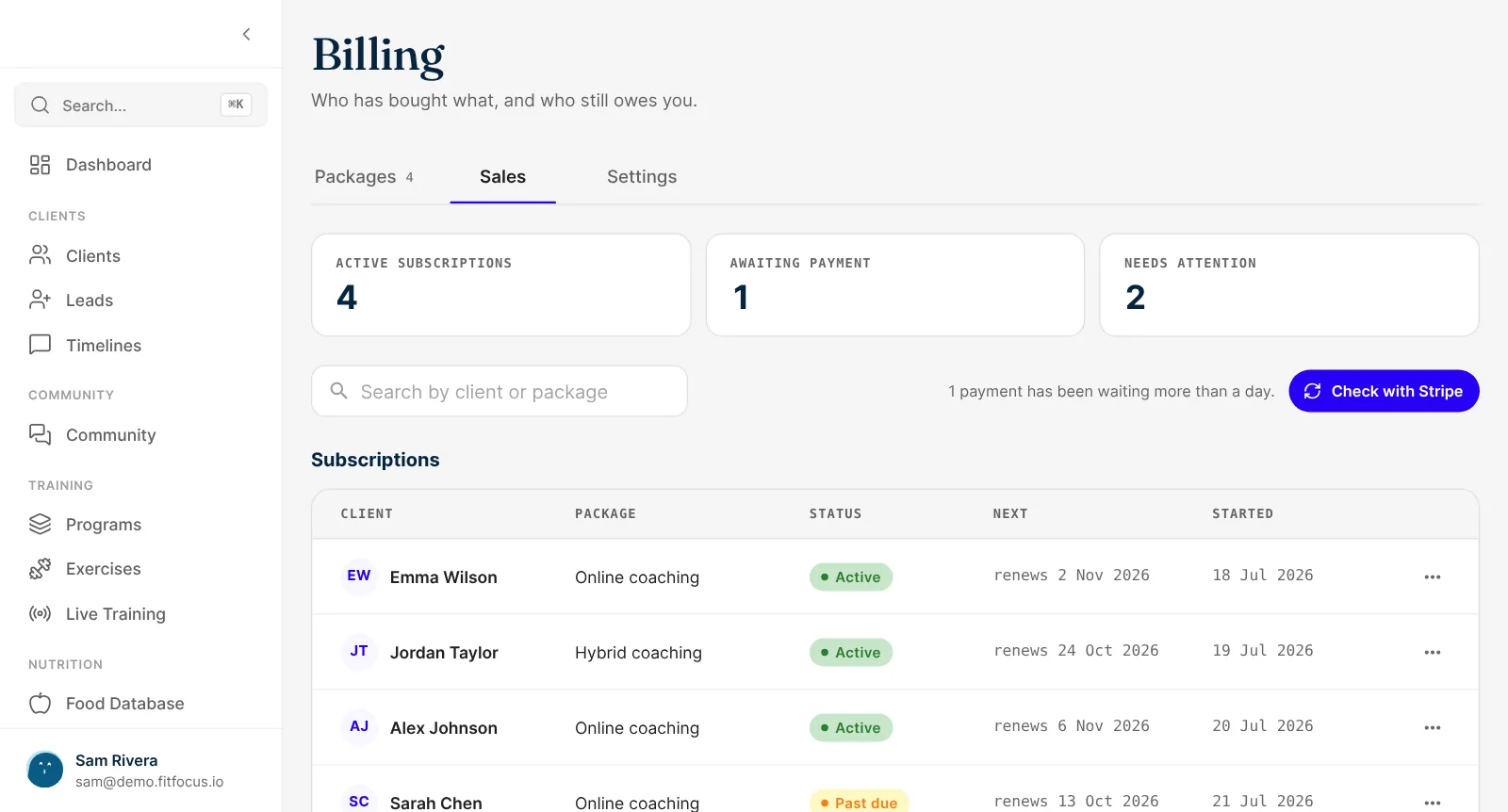
FitFocus connects to your own Stripe account through Stripe Connect, so payouts land with your business. Payments update as Stripe reports them, and anything waiting can be checked against Stripe in one click.
- Payouts into your own Stripe account
- Payments and subscriptions in one list
- A check against Stripe for waiting payments
Access follows payment
Paid means open. Failed means locked.
A meal plan you invoice opens in the client's app when it's paid. A package opens at the sale, and if a payment fails, access locks after a grace period you set, from none up to 30 days. Nobody has to send an awkward message.
- Meal plans open when the invoice is paid
- Packages lock after a failed payment
- A grace period of 0 to 30 days
Tax and fees
GST handled, and card fees covered if you want
Add your tax registration and Stripe Tax adds GST at checkout. You can also price packages to cover card fees, so what lands is what you meant to charge.
- GST through Stripe Tax
- Prices entered with or without tax
- Card fees built into the price, or taken from your payout
From price to payout
Connect Stripe
Link your own Stripe account to FitFocus.
Create a package
A program or membership, with its price and billing.
Sell it
From the Packages tab or a client's profile. Invoice a meal plan from the profile.
Get paid
The client pays, access opens and the payout goes to your Stripe account.
Paid sessions come from scheduling and booking, meal plans from nutrition, and the app clients pay in is your white-label client app. New enquiries start in the CRM.
Keep exploring
Related features
Scheduling and Booking
Clients self-book from your available hours, checked against Google Calendar, with reminders, group sessions and paid sessions. Book a demo of FitFocus.
Leads and CRM
Enquiries from your website land as leads, with a pipeline of your own stages and a reminder for every follow-up. Convert with a booking or payment link.
Nutrition Coaching
Meal plans, 154 recipes, a food database, barcode and photo logging, fibre and macro targets, all in your branded app. Book a demo of FitFocus nutrition.
Questions
Frequently asked
Into your own Stripe account, connected through Stripe Connect. Stripe pays out to your business on its normal schedule.
Access to what they bought stays open for the grace period you set, up to 30 days, then locks. It opens again once they pay.
Yes. Add your tax registration and Stripe Tax works out and adds GST at checkout.
Yes. Make a session type paid and the client is invoiced when they book. See scheduling and booking.
No. Payments is part of the one plan, with every feature and unlimited clients. Stripe charges its own processing fees.