
Coach your clients
Nutrition coaching in the same app as the training
Meal plans, recipes and macro targets for you. Barcode and photo logging for your clients. One app, so nutrition reads as part of the service.
What you get
Why coaches pick Nutrition Coaching
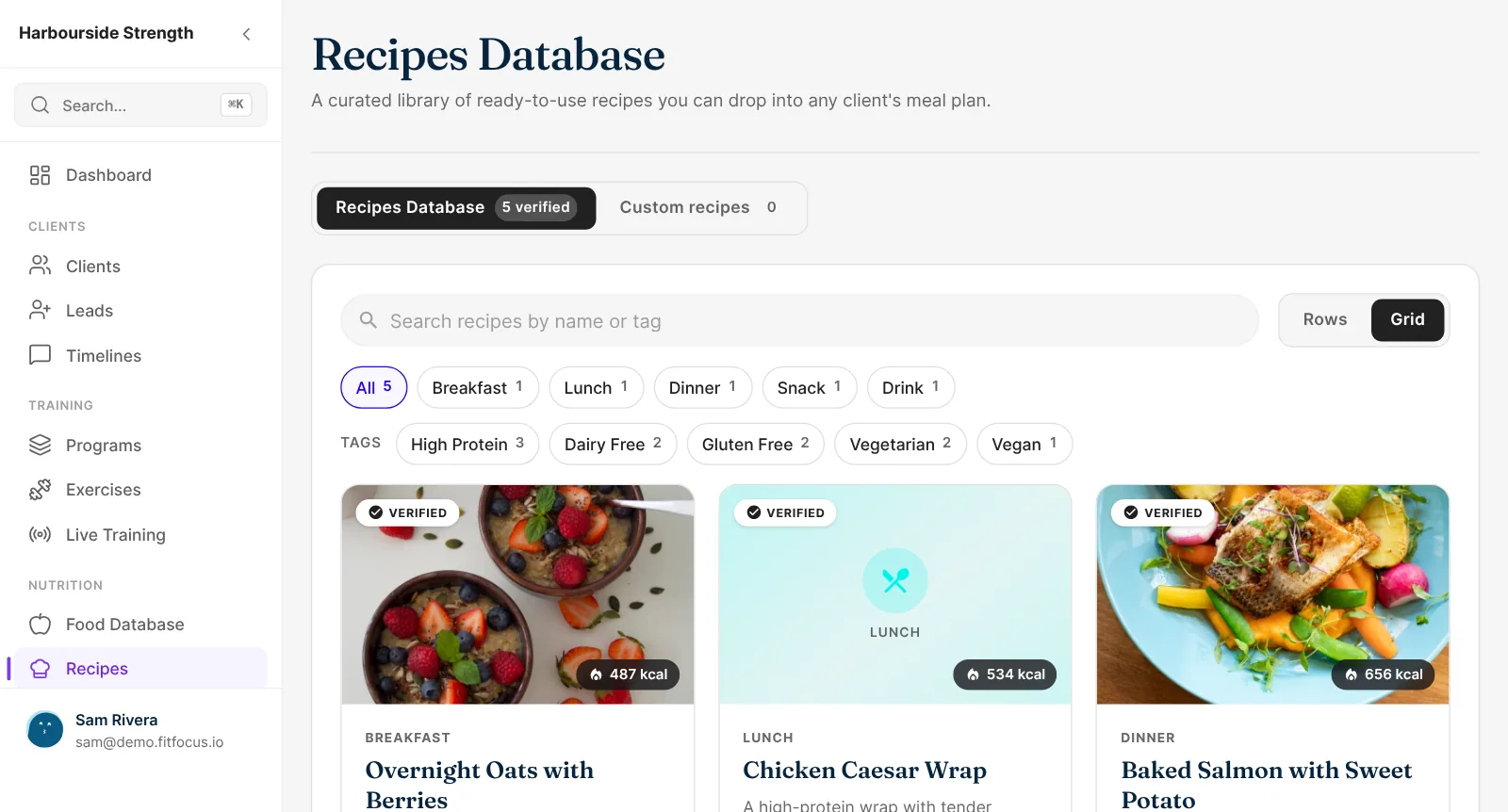
154 recipes to start from
Ready-made recipes with photos and dietary tags, beside your own, in any meal plan.
Logging that takes seconds
Clients scan a barcode, search the food database or take a photo of their meal, and favourites log at the amount they had.
Macro and fibre targets for each client
Daily protein, carbs, fat and calories, plus an optional fibre target, shown against today's numbers on the client's Nutrition screen.
Invoice a meal plan on its own
Invoice a meal plan to a client through payments, and it opens for them when they pay.
Meal plans and recipes
Meal plans built from 154 recipes, or your own
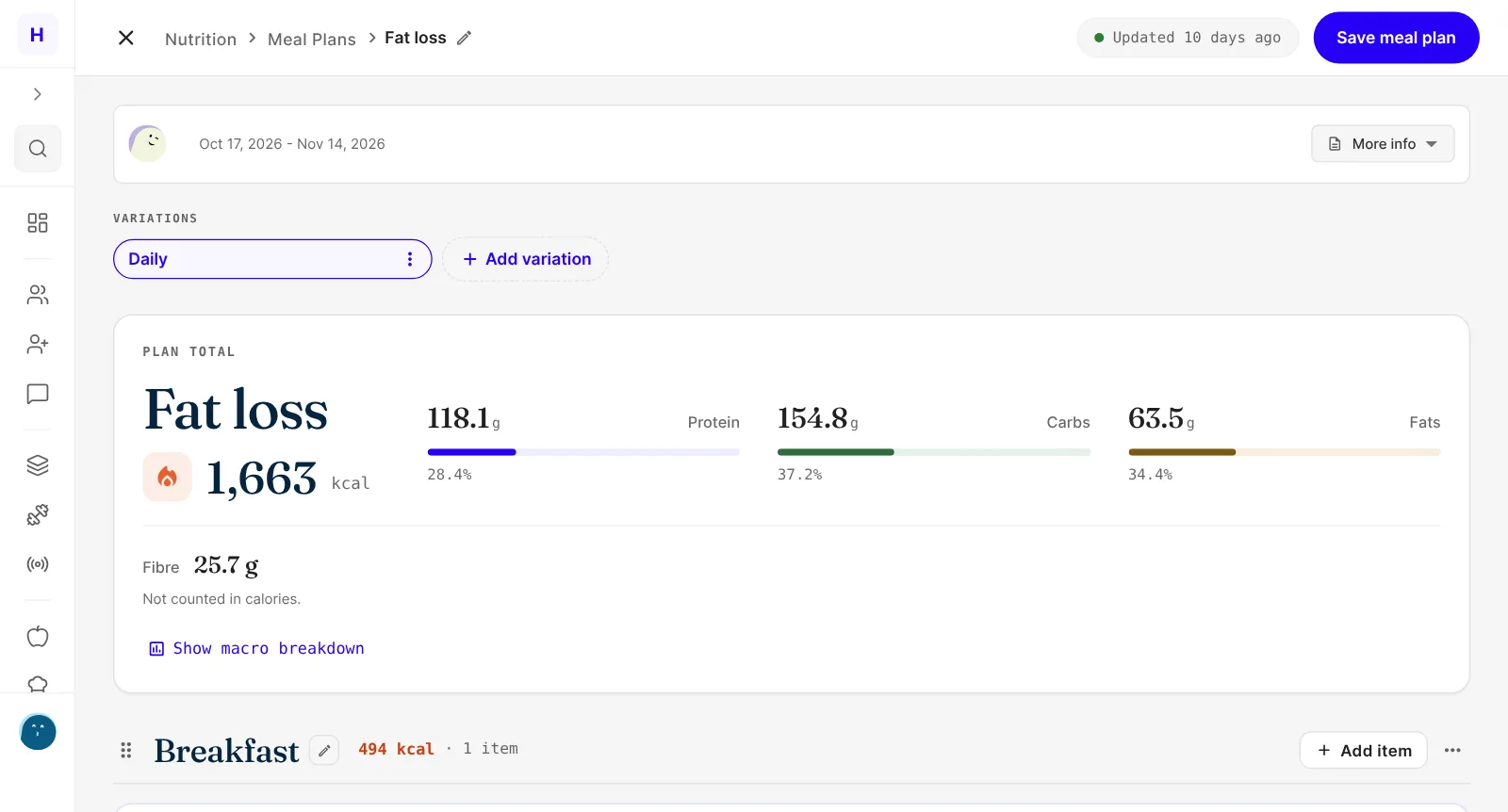
Start from 154 ready-made recipes with photos and dietary tags, or write your own. Add foods from the database or by barcode, and every item, meal and day shows its macros as you build.
- 154 recipes with photos and dietary tags
- Your own recipes alongside them
- Macros and fibre for every item, meal and day
Logging
Logging that takes seconds, not a spreadsheet
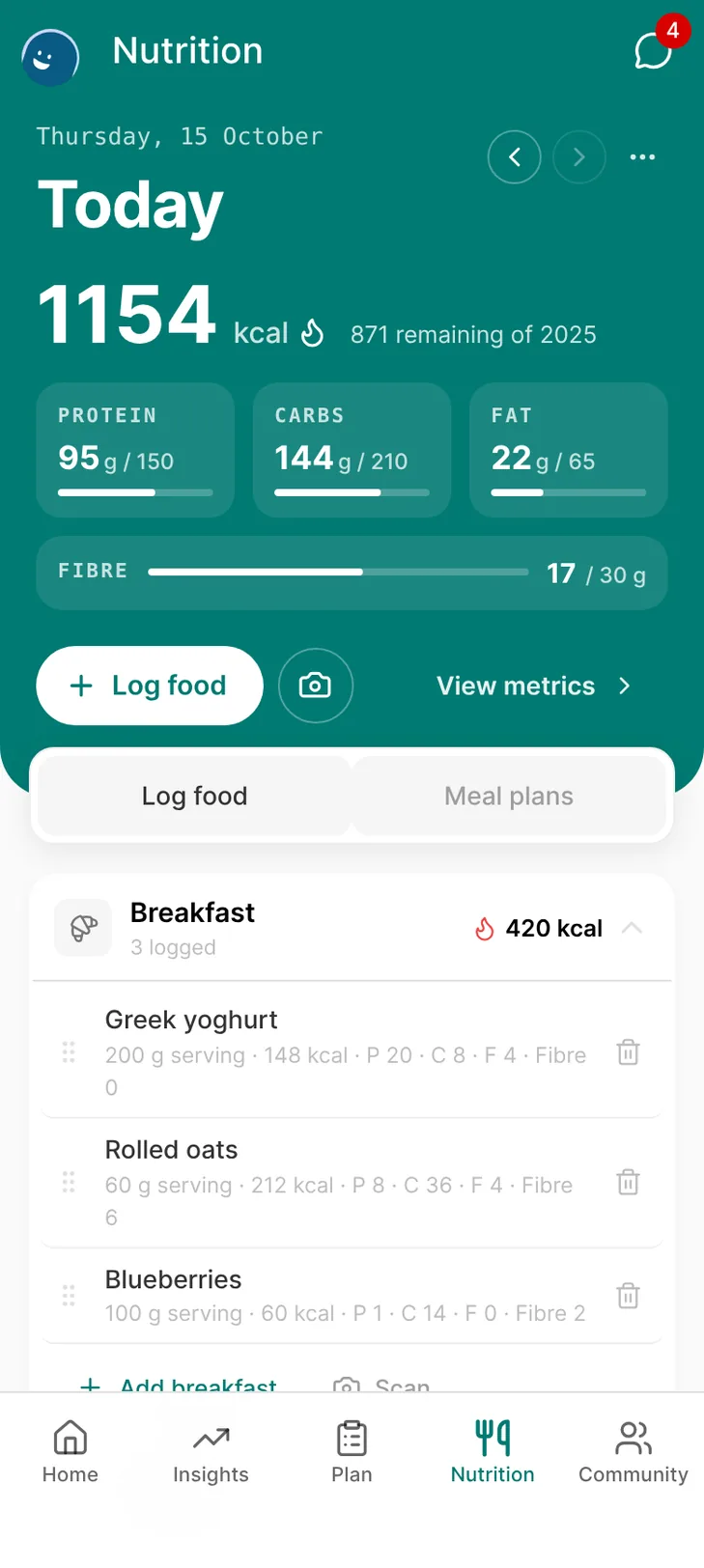
Clients scan a barcode, search the food database or take a photo of their meal to log it. Favourites log at the amount they actually had, so a bigger bowl doesn't mean fixing the entry afterwards.
- Barcode scanning and a food database
- Log a meal from a photo
- Favourites logged at the amount eaten
Targets
Macro and fibre targets for each client
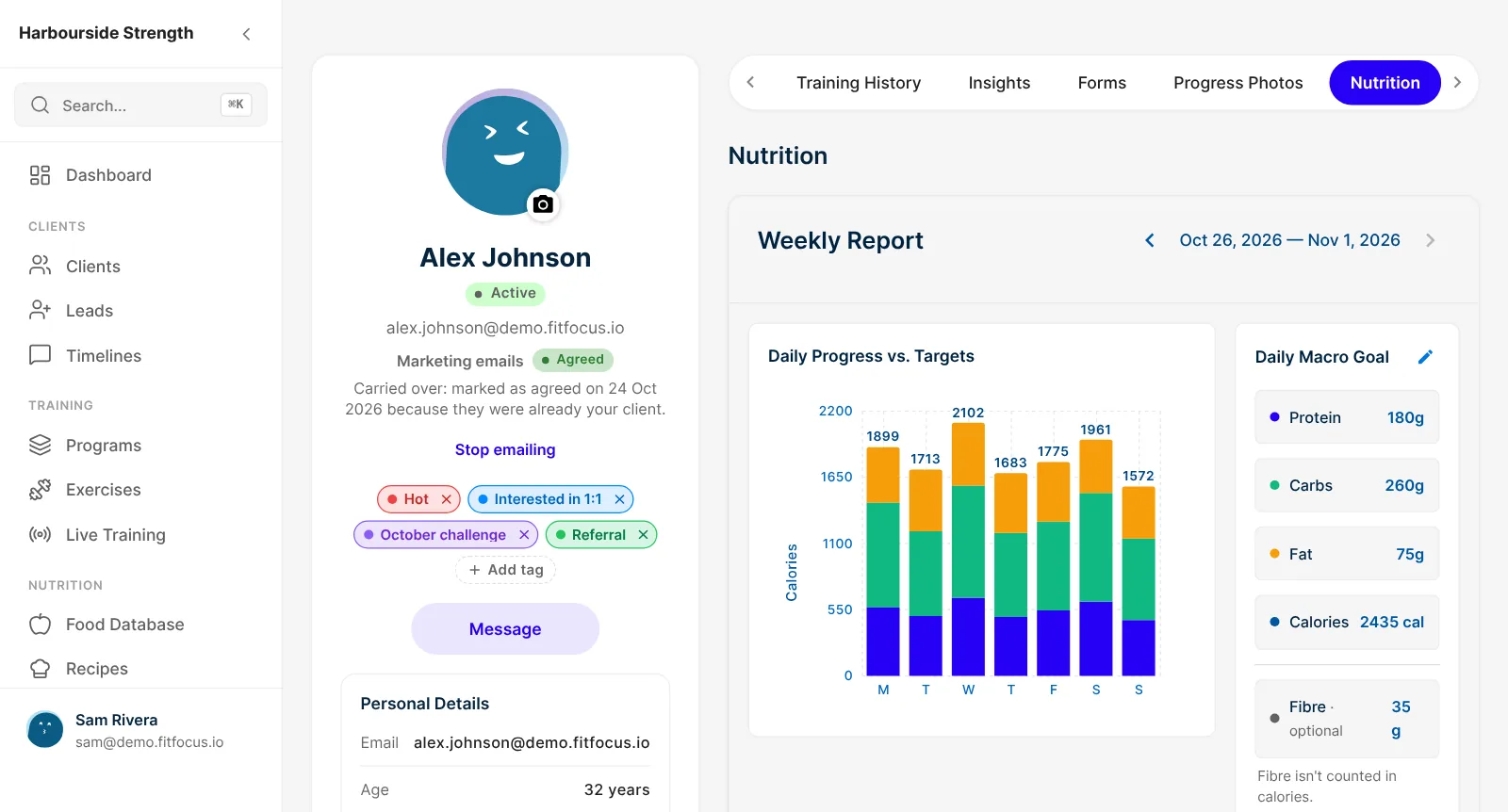
Set daily protein, carbs, fat and calories for each client, plus an optional fibre target. Clients see today's numbers against your targets on their Nutrition screen.
- Daily macro goals per client
- Optional fibre target
- Today's progress on the client's Nutrition screen
How a nutrition client runs
Set targets
Macros, calories and fibre in the client's Nutrition tab.
Build the plan
Recipes and foods, with totals as you go.
Client logs
Barcode, search, photo or favourites, in your app.
You review
Logged intake against targets, beside their training.
Here's how fibre tracking works in meal plans. Sell a plan through payments, and clients log it in your white-label client app.
Keep exploring
Related features
Program Builder
Build training programs from templates, set progression for load, RPE and %1RM, and see prescribed against logged. Book a demo of the FitFocus builder.
Health Data and Progress Tracking
Sleep, readiness and activity from Apple Health, Health Connect, Oura, Whoop and Garmin, plus check-ins, measurements and photos. Book a demo.
Get paid
Sell programs and memberships, and invoice meal plans and sessions, into your own Stripe account. Access follows payment, with GST handled. Book a demo.
Questions
Frequently asked
Yes. A client takes a photo of their meal and the app recognises the food so they can log it.
No. Food search, barcode scanning, photo logging and favourites are in your app.
Yes. Write your own recipes beside the 154 ready-made ones, and use either in a meal plan.
Yes. Fibre shows for every item, meal and day in plans and logs, and you can give each client a daily fibre target.
Yes. Invoice a meal plan once to the client it's built for, from their profile, through payments. The plan opens for the client when they pay.