
Win clients
Every enquiry in one pipeline, with a next step
An enquiry form on your website, a pipeline with your own stages and a reminder for every follow-up. A lead becomes a client the moment they pay.
What you get
Why coaches pick Leads and CRM
Enquiries land by themselves
An enquiry link and an embeddable form, with the source and consent recorded on each lead.
Your own pipeline stages
Quick add with a name and a handle, and a CSV upload for the leads you already have.
A reminder for every follow-up
A next step with a due date, and a push and an email when it falls due.
Becomes a client on payment
A booking or payment link, and the lead's history kept on the client record.
Enquiries
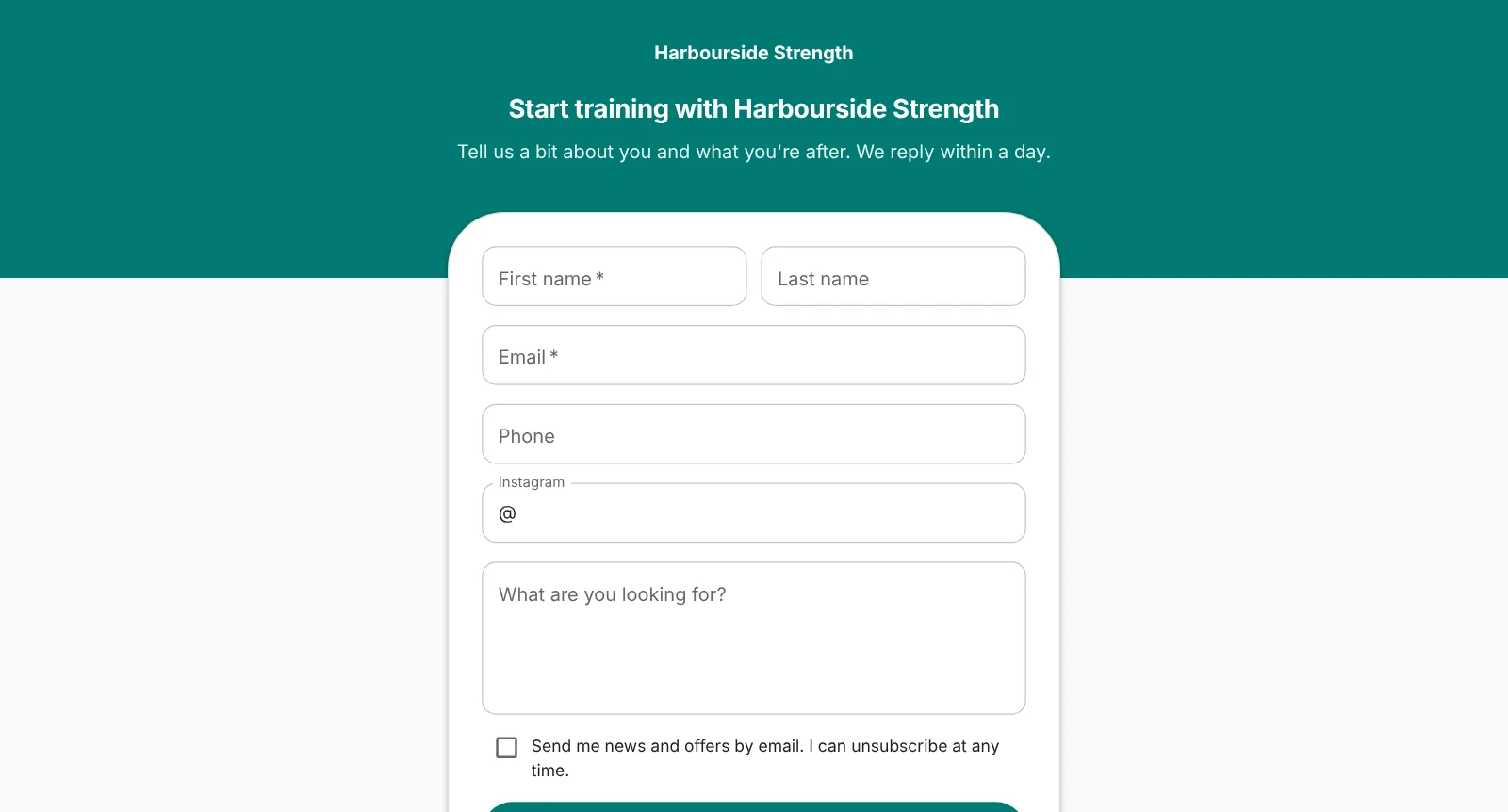
Enquiries land in FitFocus by themselves
Share an enquiry link in your Instagram bio, or paste a form into your own website. Every enquiry becomes a lead with where it came from and the marketing consent they gave. The page carries your name, logo and colour, and runs on your own domain.
- An enquiry link and an embeddable form
- Source and consent recorded with each lead
- Your branding, on your own domain
Pipeline
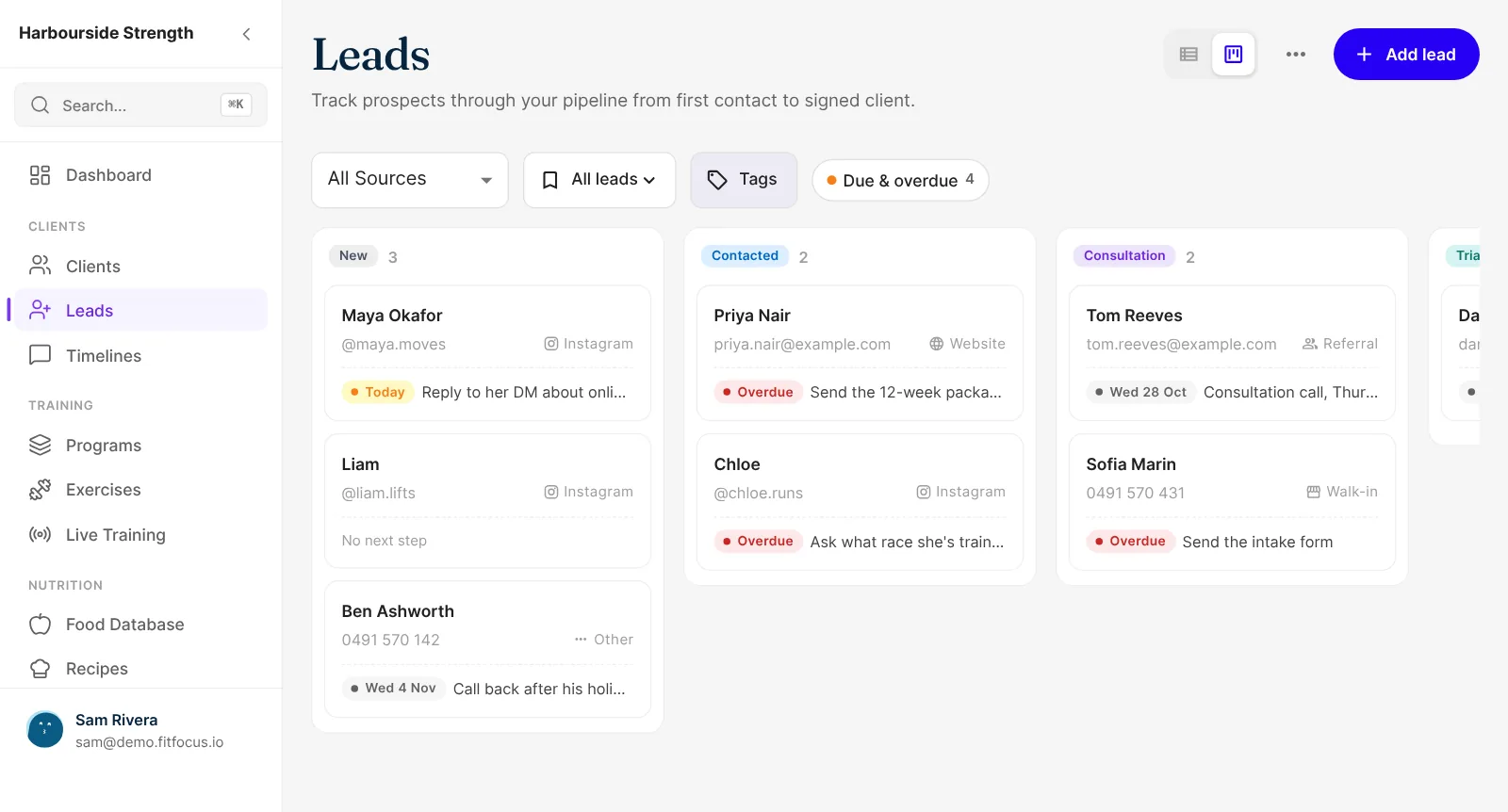
A pipeline with your stages, not someone else's
Rename, add, reorder and archive stages until the board matches how you sell. Adding a lead from a DM takes a first name and an Instagram handle. Leads you already have come in from a CSV file.
- Your own pipeline stages
- Quick add with a name and a handle
- Upload existing leads from a CSV
Follow-ups
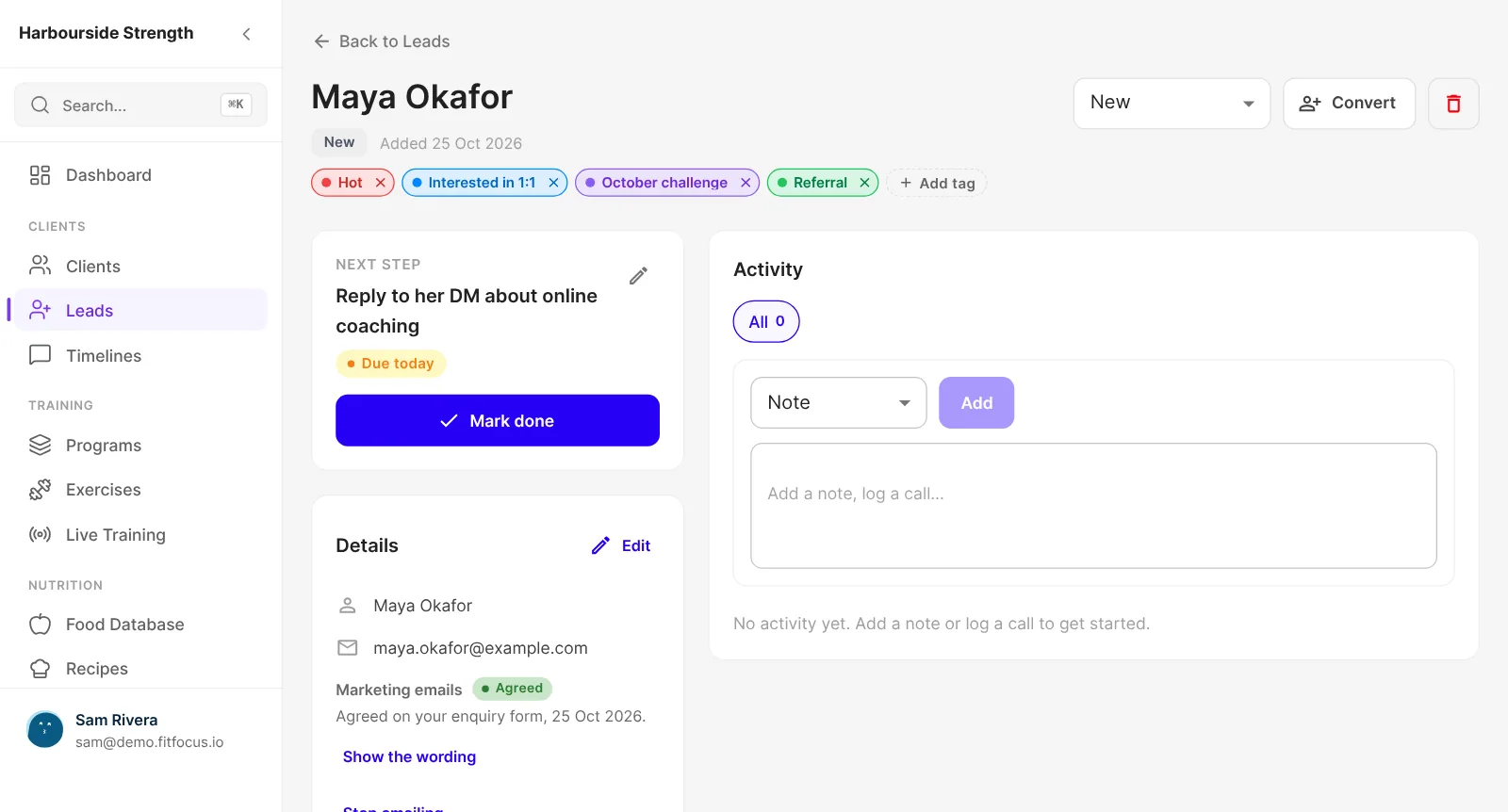
A next step and a due date on every lead
Each lead carries its next step and when it's due. Due and overdue leads show on the board and your dashboard, and you get a push and an email when one falls due. Choose an email per follow-up, one each morning or none.
- Next step with a due date
- Push and email reminders
- "Due and overdue" filter on the board
Converting
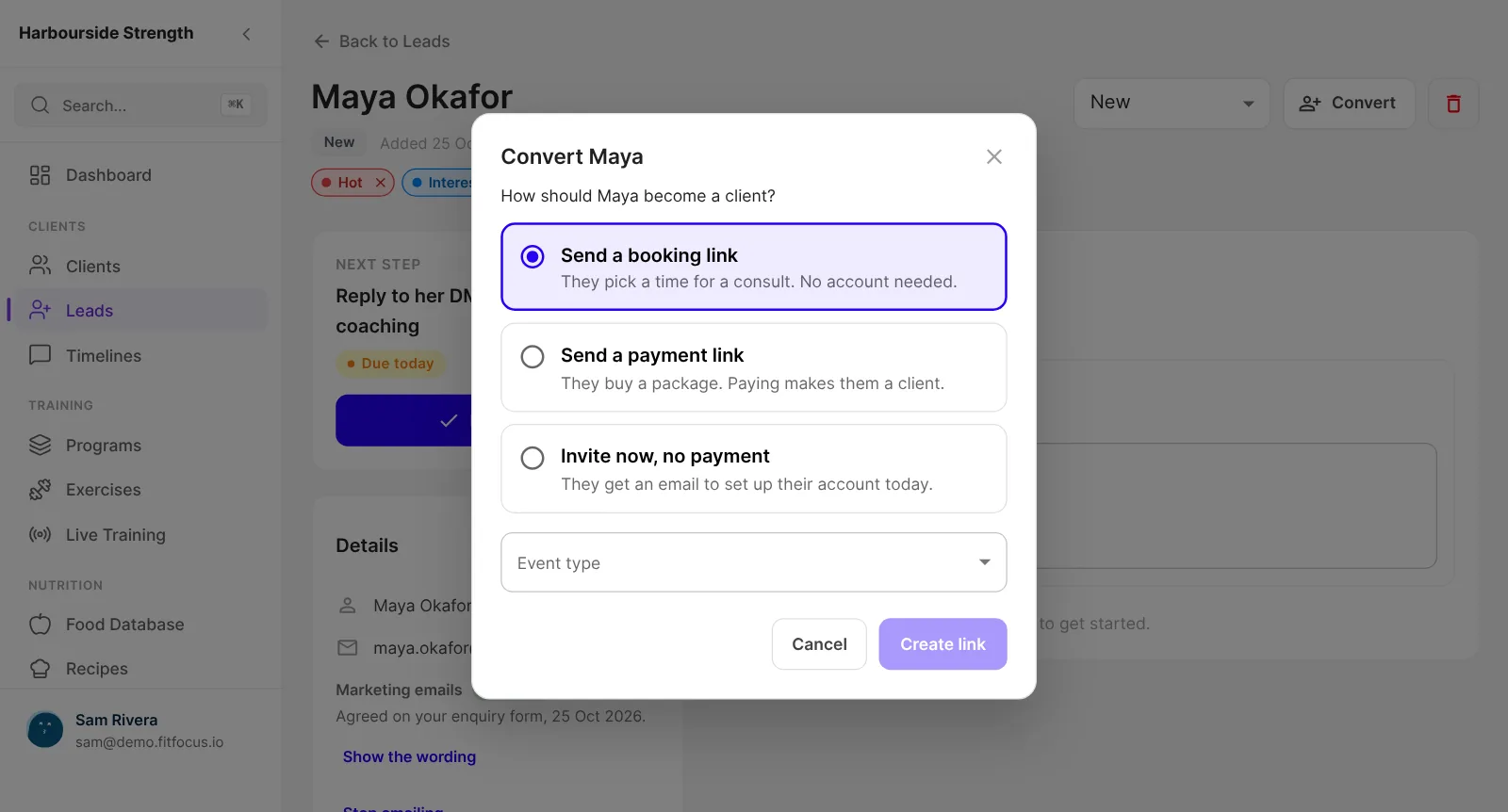
Send a booking or payment link, and they become a client
When a lead is ready, send them a link to book a consult or buy a package. Once they pay, they become a client with their lead history kept, and their app account is ready.
- Booking links and payment links
- Becomes a client on payment
- Lead history kept on the client record
From enquiry to paying client
The measurement behind these stages, the four numbers that tell you where enquiries are lost and what a good coaching enquiry conversion rate looks like, is covered in our guide on the blog. So is the step after the win: when a team is involved, the passed baton is an operation of its own, and the guide to the lead-to-client handoff writes one owner per stage from enquiry to first check-in. The launch post, enquiries straight into Leads and a reminder for every follow-up, shows each screen. A second post covers one Activity history for every contact, with tags and segments. A third covers sending campaigns to your leads and clients from your own domain.
Enquiry
A form on your site or a link in your bio creates the lead.
Next step
Set what happens next and when.
Follow up
Reminders arrive by push and email until it's done.
Convert
Send a booking or payment link. They pay, they're a client.
Keep exploring
Related features
Email Marketing
Email your leads and clients from your own domain, by tag or segment, from the same place you coach. Book a demo of FitFocus email marketing.
Websites
Your website on your own domain, run from FitFocus, with your enquiry form built in and the privacy and terms pages your app links to. Book a demo.
Automations
Follow-ups and client journeys that run on their own, built on the leads, bookings and payments already in FitFocus. Book a demo of automations.
Questions
Frequently asked
No. Enquiries, the pipeline and follow-ups are in FitFocus, on the same record that becomes the client.
Yes. Paste the embed code into your site, or share the enquiry link. Both create a lead in your pipeline.
No. It shows your business's name, logo and colour, and runs on your own domain.
Every lead has a next step and a due date. You'll see it on the board and your dashboard, and get a push and an email when it's due.
No. Leads is part of the one plan, with every feature and unlimited clients. It costs a few hundred US dollars a month, billed annually, and we give you the exact price on the demo call.
Our guide to coaching enquiry conversion rates covers the four numbers that show where enquiries are lost.