
Your brand
A private community for your clients, inside your app
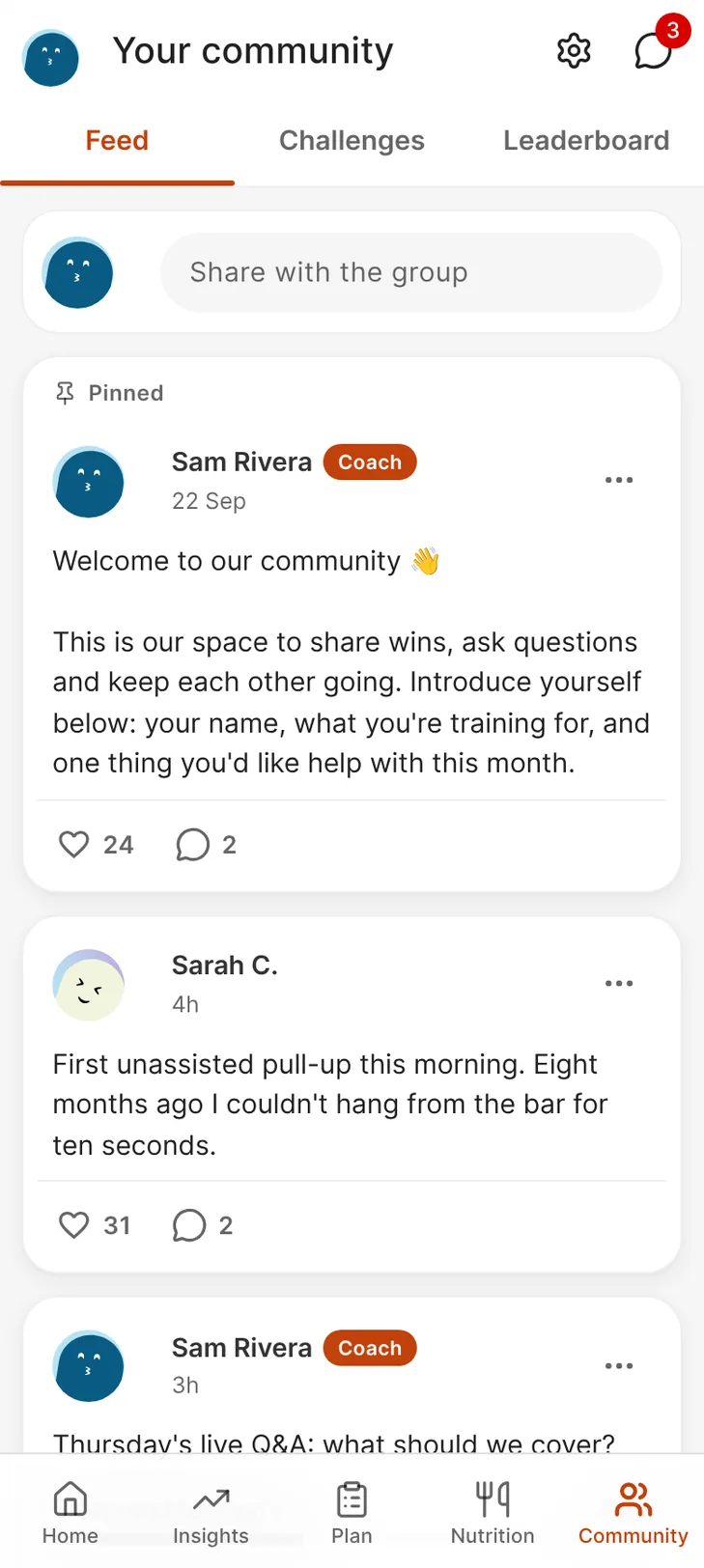
A feed only your clients can see, run by you. Post updates, run polls and challenges, and keep the group off Facebook and in your own app.
What you get
Why coaches pick Community
Post to every client at once
Updates, tips and announcements go to the whole client base, with up to three posts pinned and the week's posts scheduled in one sitting.
Challenges that score themselves
Set a target and dates, and a challenge starts, ends and is scored from workouts, active weeks and check-ins.
You decide what stays up
Posts are checked against word lists before they publish, and anything flagged waits for you in Reports.
It's already in your plan
Every workspace has Community. There's nothing to switch on.
The feed
Post to every client at once
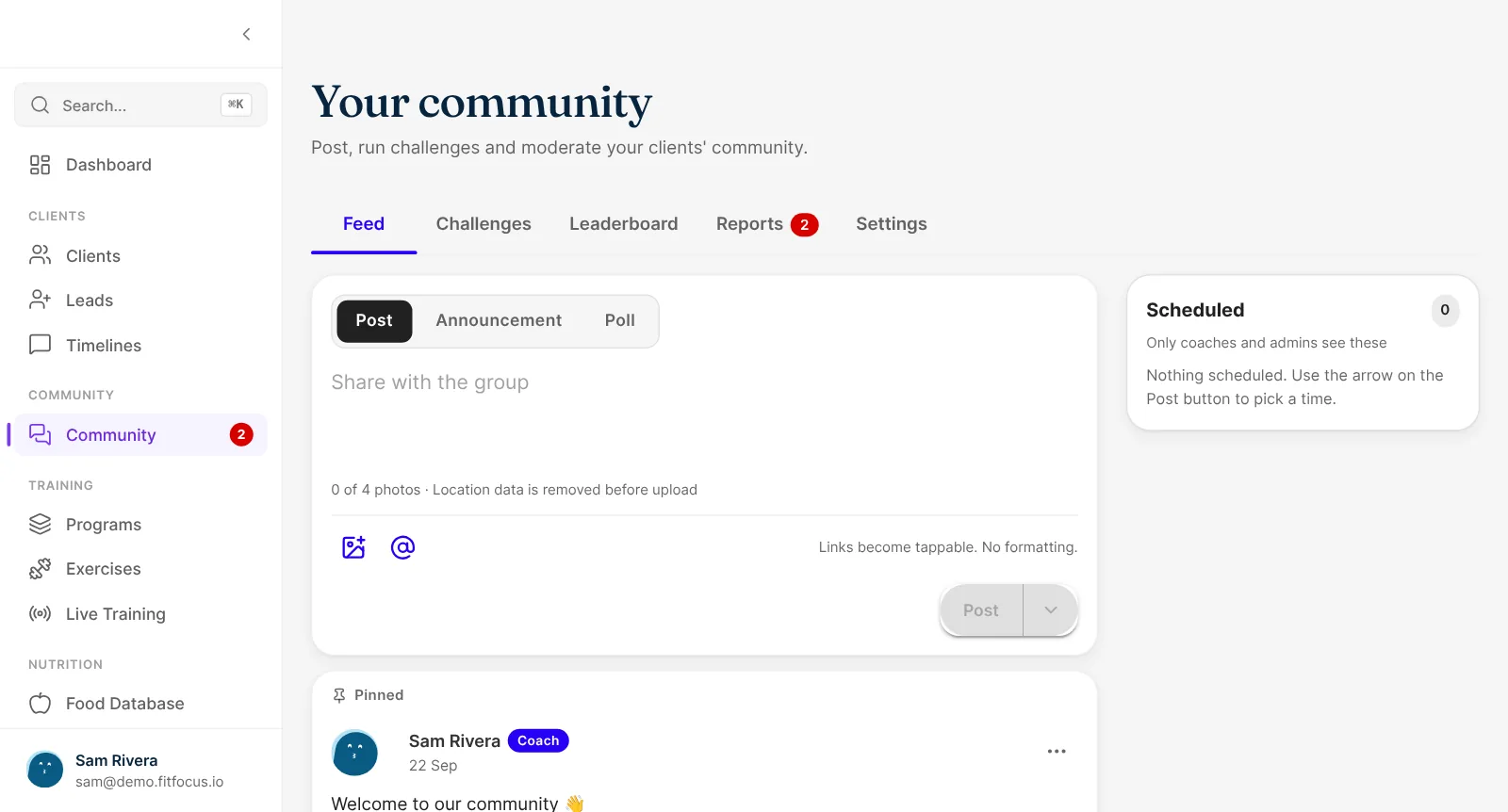
Share updates, tips and announcements, and pin up to three posts. Clients read, comment, react and post too, unless you set it to announcements only. Schedule posts, so the week's can be written in one sitting.
- Up to four photos and @mentions per post
- Polls, with totals only and no names
- Scheduled posts and up to three pins
Challenges
Challenges scored from training
Set a target and dates, and a challenge starts and ends on its own. It's scored from what clients already do: workouts completed, active weeks and check-ins. Leaderboards only show clients who've opted in.
- Scored from workouts, active weeks and check-ins
- Starts and ends on the dates you set
- Opt-in leaderboards with the top 10
Moderation
You decide what stays up
Clients accept the community guidelines on their first visit, and you can add your own. Posts are checked against word lists before they publish, and anything flagged waits for you in Reports. Clients under 18 can read but not post.
- Approve, hide or delete, and mute or remove a member
- Three reports hide a post until you've looked
- A moderation log of every decision
Staying in touch
A weekly digest for clients who haven't looked
Clients who haven't opened Community that week get an email with your latest posts, and can switch it off in one click. Clients can also post a finished workout to the feed as a card in your brand.
- Weekly email digest
- Branded workout cards in the feed
- Group chats for smaller groups
Start your community in a week
Open Community
It's already in your sidebar. There's nothing to switch on.
Pin a welcome post
Write your own, or start from the suggested one.
Post regularly
A weekly check-in, a tip or a win to celebrate.
Run a challenge
Pick a target and dates on the Challenges tab.
Community lives in your white-label client app, next to messaging and group chats. Challenges can also run on health data, as in steps, active calories and sleep quality challenges.
Keep exploring
Related features
White-Label Client App
Your own coaching app in the App Store and Google Play, with your name, icon and colours. Clients train, eat, check in and message in it. Book a demo.
In-App Messaging
Get your coaching conversations out of WhatsApp and into a messaging tool built for coaches. One inbox, client context, voice notes, and no burnout.
Program Builder
Build training programs from templates, set progression for load, RPE and %1RM, and see prescribed against logged. Book a demo of the FitFocus builder.
Questions
Frequently asked
Only your clients and your coaches. It lives in your app, not on a social network.
Yes. Set Community to announcements only and clients can read, comment and react, while only you post.
From training: workouts completed, active weeks and check-ins. Late-logged workouts count if they were done inside the challenge dates.
No. Leaderboards show only clients who've switched on "Show on leaderboards". You can also opt a client in from their profile.
Posts are checked against word lists before they publish, and flagged posts wait in Reports. From there you approve, hide or delete, and every decision goes in the moderation log. More in our Community announcement.