
Track fibre in your clients' meal plans and food logs
FitFocus now shows fibre for every item, meal and day in your meal plans and recipes, and each client can track a daily fibre target you set.

You no longer have to work out a client's fibre by hand. FitFocus now shows fibre for every item, meal and day in your meal plans and recipes, and you can give each client a daily fibre target, which they track on their own Nutrition screen.
See fibre as you build a plan
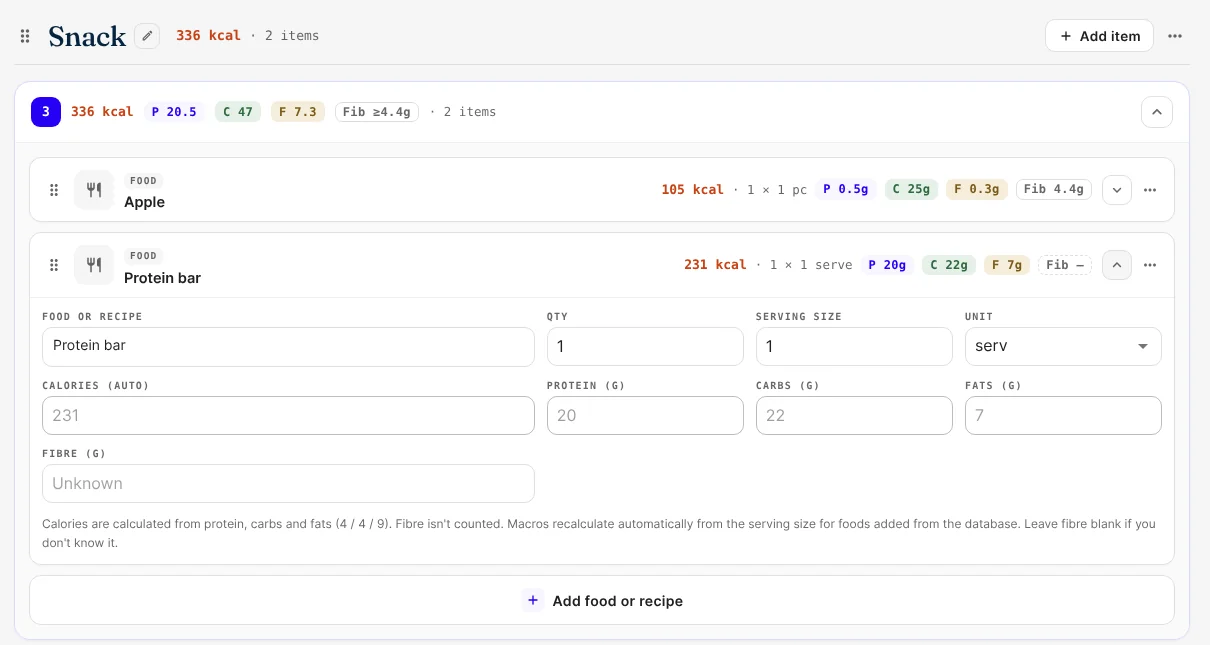
- Each item, meal and recipe has a Fib badge after P, C and F, and the plan total shows the day's fibre on its own line.
- Foods you add from search or by barcode bring their fibre with them, and it follows the serving size when you change it. Recipes do the same in the recipe builder, and a recipe you add to a plan brings its fibre with it.
- Fibre isn't counted in calories, which still come from protein, carbs and fat.
Add fibre yourself when it's missing
Items you type in by hand have an optional Fibre (g) field. Leave it blank and the item shows Fib —, meaning unknown, rather than a false 0 g. A meal with unknown items shows at least what it knows, such as ≥ 4.4g, and the plan total says how many items are missing fibre.
Set a daily fibre target
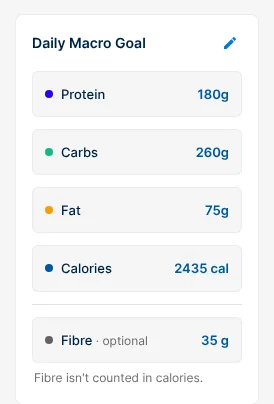
In a client's Nutrition tab, Daily Macro Goal has a new row: Fibre · optional. Select the pencil to set it with the others. It shows as "Not set" until you do.
What your clients see
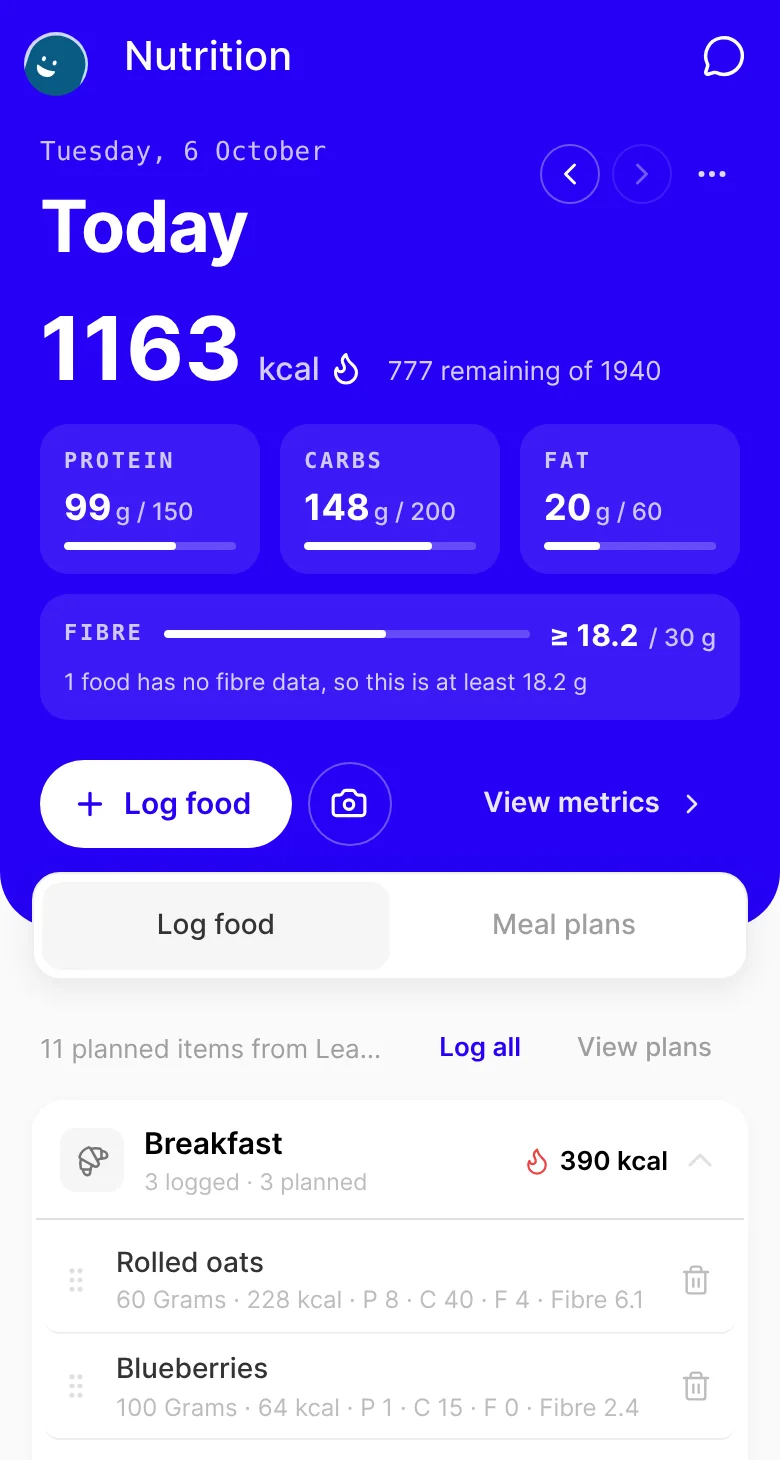
- On their Nutrition screen, a Fibre row under protein, carbs and fat shows today's fibre against your target. Without a target, it shows their total and "No fibre target set by your coach".
- Each food they log shows its fibre, from search, barcode, a custom food or a photo scan when the food has fibre data.
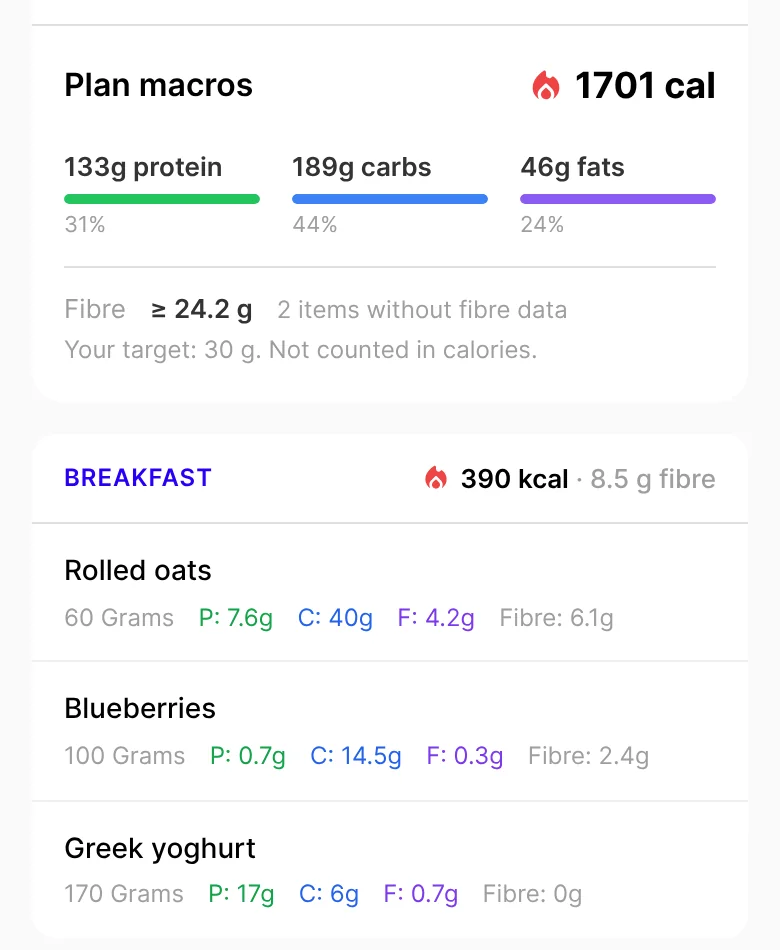
- Their meal plan shows fibre for each item and meal, the plan's total and their target.
Good to know
- Plans, recipes and food logs saved before this update show fibre as "—" until someone edits them. Re-pick a food from search, or type its fibre in.
- The default recipe library doesn't have fibre yet, so its recipes show "—" too.
- On the web now, in the apps with their next update. Fibre is live on the web, including in a phone's browser. The iOS and Android apps get it with their next store update. Until then, the apps don't show fibre, and a plan, recipe, target or food log saved in them is saved without it.
Get started
- Open a client's Nutrition tab and set their fibre target in Daily Macro Goal.
- Open their meal plan in Meal Plans. Check the fibre line in the plan total, and fill in any item showing Fib —.
- Let your clients know they can track fibre on their Nutrition screen.

Written by
FitFocus
FitFocus writes about coaching software, pricing, and the business of running a premium coaching practice. FitFocus is part of the Hale Health ecosystem alongside QuickCoach.
Keep reading

Logged late? Your clients' training now lands on the day they trained
Clients who log a workout late can now set the day and time they actually trained, so their streak, your dashboard and your weekly numbers show the real day.

How Hybrid Strength-and-Conditioning Coaches Program: Good at Everything
Strength, speed, power and conditioning, periodised into one plan. Across 70,000 logged workouts, hybrid is coaching's least specialised archetype, and the one the rest are converging on.

Notes on your dashboard: keep your to-dos to yourself, or share them with your team
Keep follow-ups, reminders and ideas on the FitFocus dashboard. Each note is private to you, or shared with every coach in your organisation, and ticked off when it's done.