
Community: a private feed, challenges and leaderboards for your clients
A private feed for your clients, run by you, inside the app they already use. Post to your whole client base, run challenges scored from training, and moderate it all from Reports.

Community is a private feed for your clients, run by you, inside the app they already use. Post to your whole client base and run challenges. It's included in your plan.
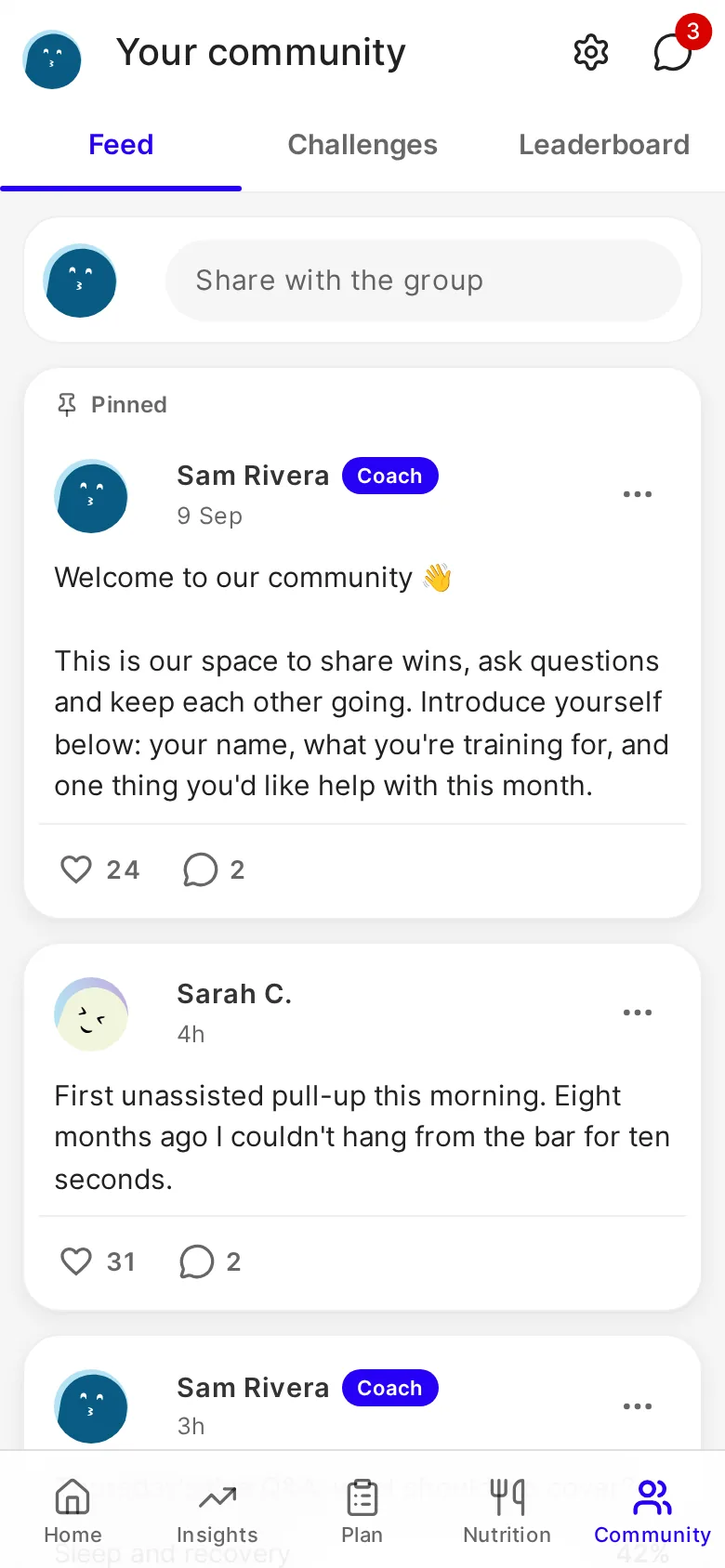
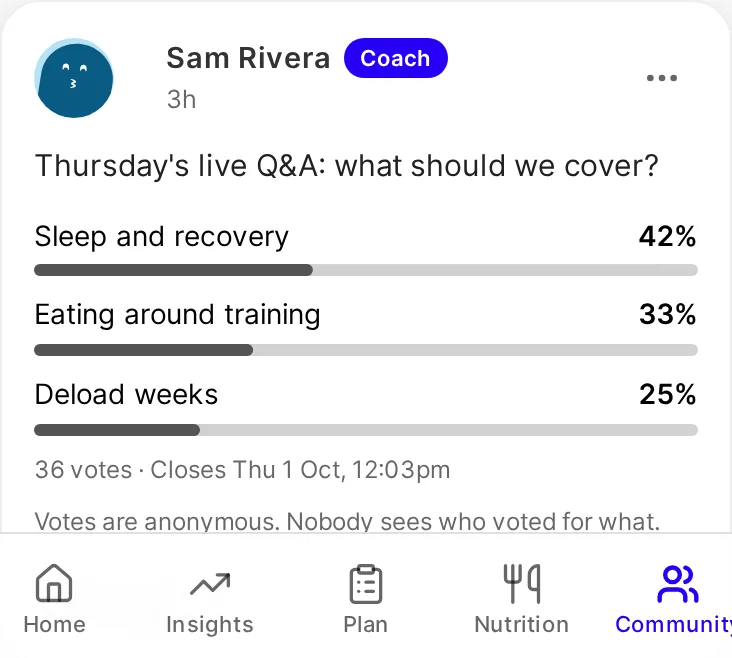
Post to all your clients at once
- You post updates, tips and announcements, and pin up to three posts. Clients read, comment, react and post too, unless you switch it to announcements only.
- Add up to four photos, @mention people, or ask a question with a poll. Everyone sees the totals, and nobody sees who voted for what.
- Schedule posts, so you can write the week's posts in one sitting.
- A weekly email goes to clients who haven't opened Community that week, with your latest posts. They can switch it off in one click.
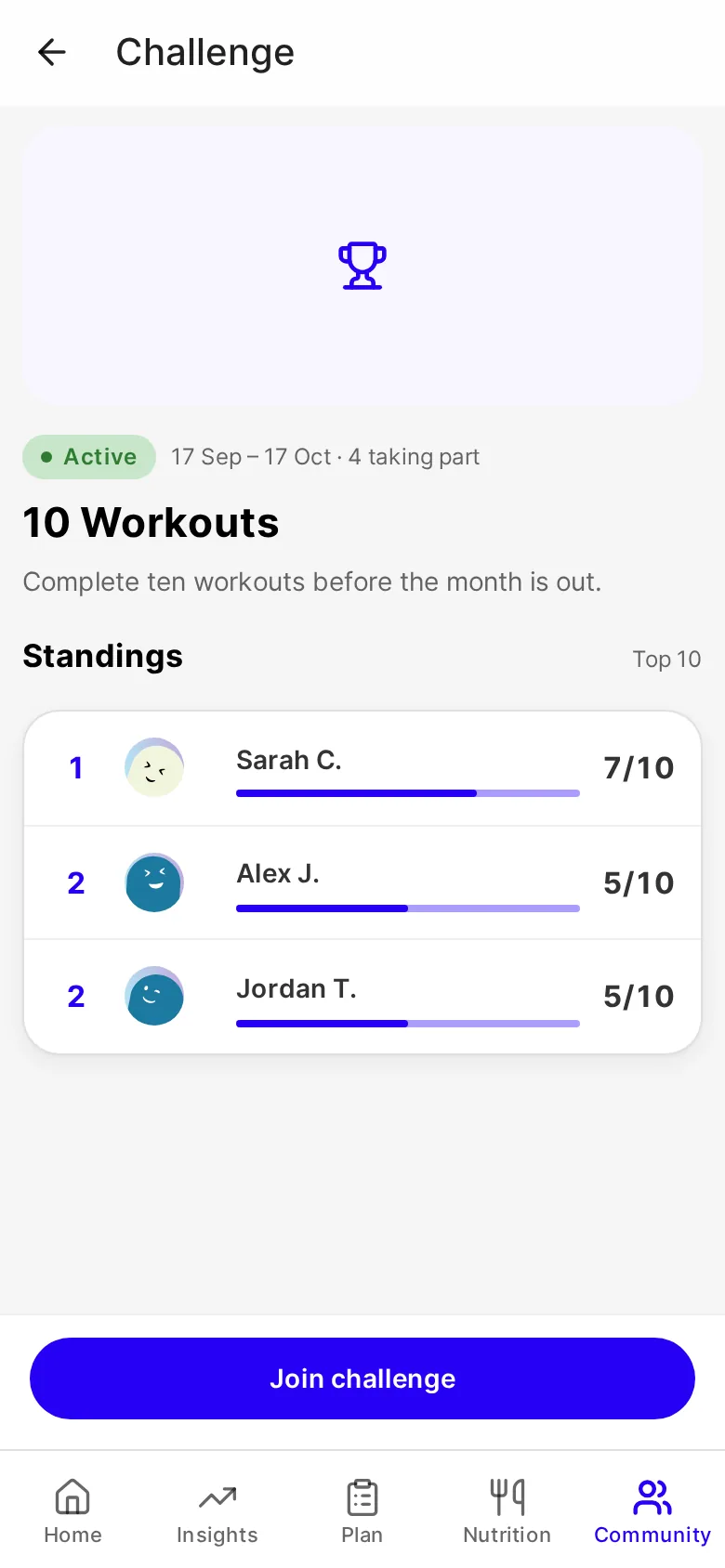
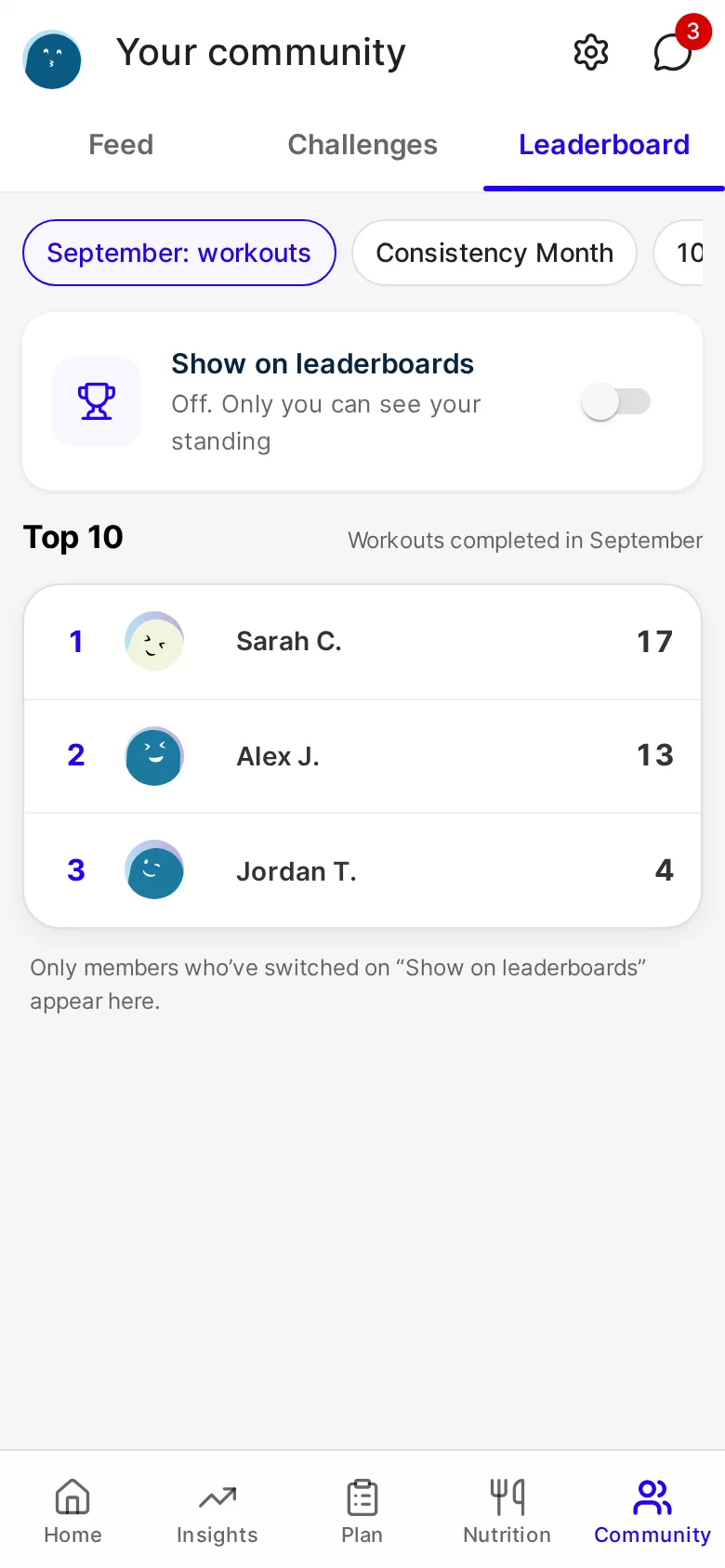
Challenges and leaderboards, scored from training
Challenges have moved into Community and are now scored from training: workouts completed, active weeks and check-ins. Set a target and the dates, and a challenge starts and ends on its own. Clients join from the Challenges tab.
Leaderboards show only clients who've opted in. Clients switch on "Show on leaderboards" themselves, and you can opt a client in from their profile. Clients see the top 10.
How it stays safe
- Clients accept the community guidelines on their first visit.
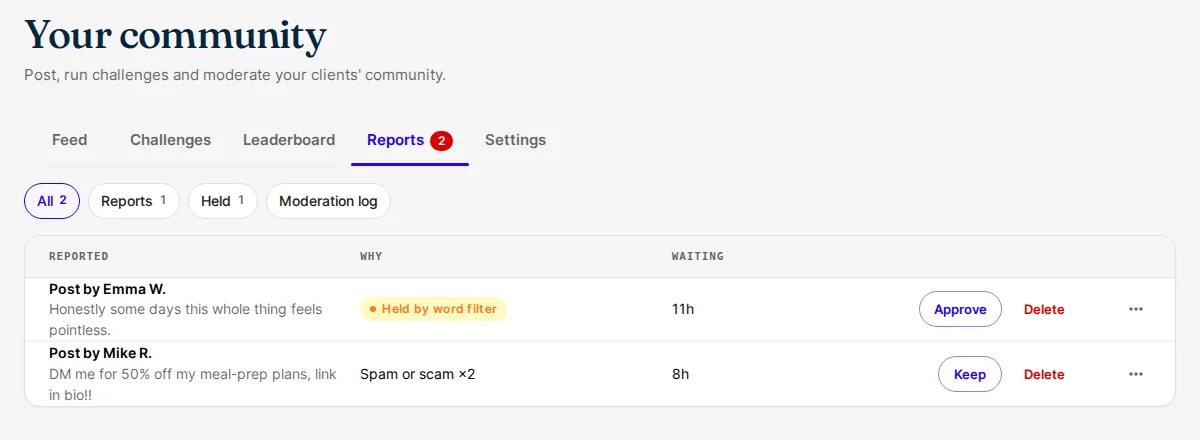
- Clients' posts and comments are checked against word lists before they publish, and anything flagged waits for you in Reports.
- Clients can report and block, and three reports hide a post until you've looked at it.
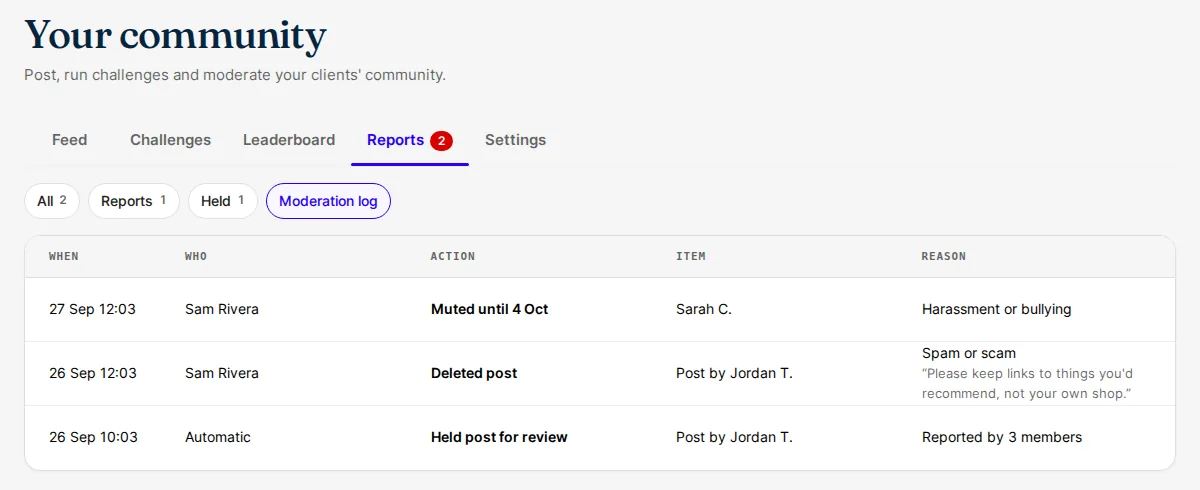
- From Reports you can approve, hide or delete, and mute or remove a member. The FitFocus team backs you up, including on any report about a coach.
- Reports keeps a moderation log of past decisions: what was done, by whom, when and why.
- Clients under 18 can read but not post.
Good to know
- Every workspace has Community. There's nothing to switch on.
- Nothing is posted automatically. The feed holds only what people write.
- Community is live on the web now. It reaches the iOS and Android apps with their next store update.
- Clients find it in a new Community tab. You'll find it in your sidebar.
- In Community's Settings tab you can rename your Community, choose who can post, turn leaderboards off, and add your own guidelines under FitFocus's.
- Clients choose how they appear, and manage the weekly email and leaderboards, in Community's settings.
Get started
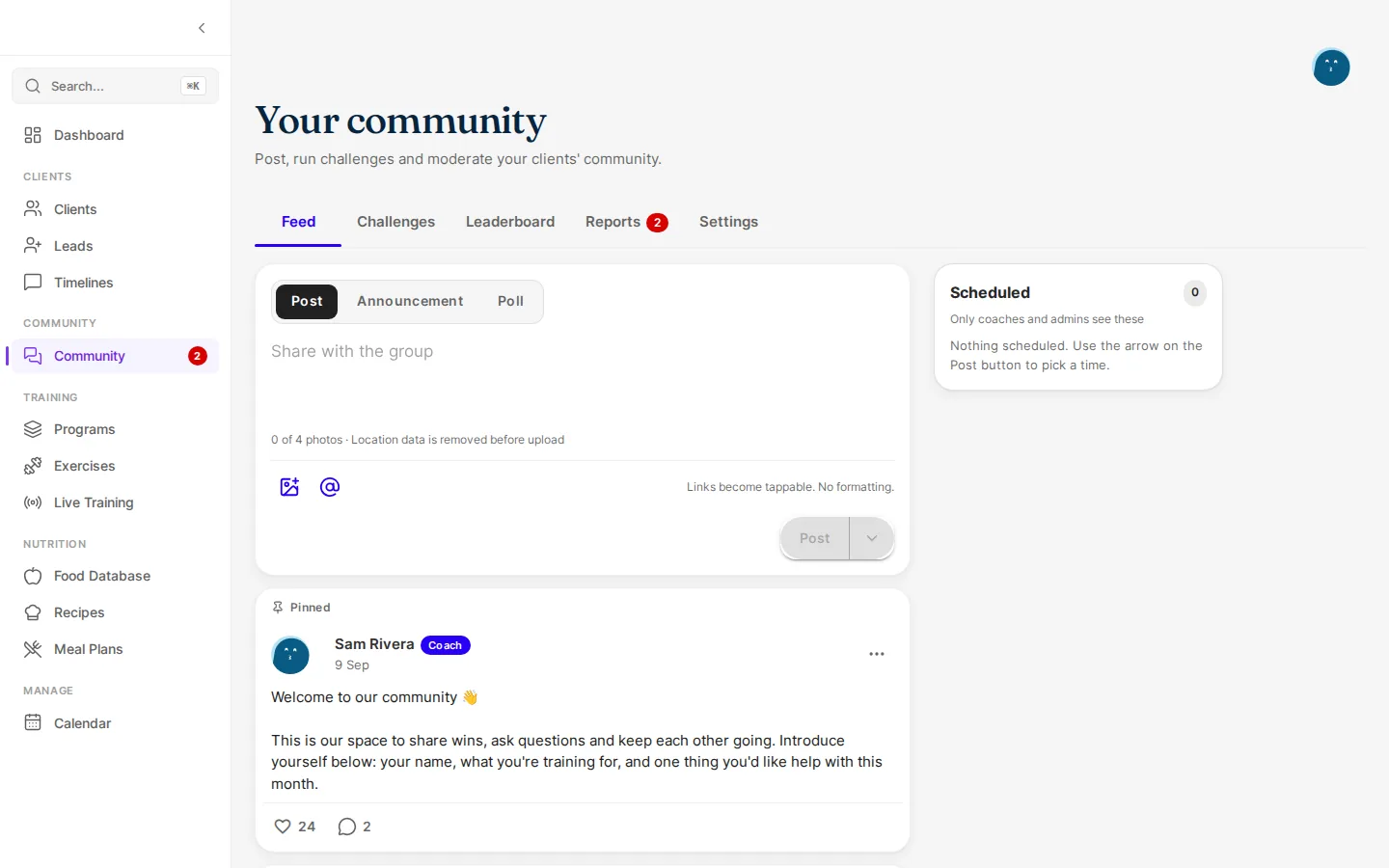
- Open Community in your sidebar.
- Write a welcome post and pin it. While your feed is empty, the app suggests one to start from, and Publish welcome post pins it for you.
- Post regularly: a weekly check-in, a tip, a win to celebrate.
- Start a challenge for the month: on the Challenges tab, choose New challenge.

Written by
FitFocus
FitFocus writes about coaching software, pricing, and the business of running a premium coaching practice. FitFocus is part of the Hale Health ecosystem alongside QuickCoach.
Keep reading

How Powerlifting Coaches Program: The Big Three
Three lifts, one scoreboard. Across 70,000 logged workouts, powerlifting is the most concentrated programming in coaching, and four of its moves travel to any roster.

Do Online Coaches Program Cardio? What the Data Shows
Structured cardio is roughly 2% of what coaches program. The conditioning did not disappear. It moved into the daily step target, where the training log cannot see it.

When Clients Actually Train: The Shape of the Coaching Week
Coaches run their week on their own calendar. Their clients run on a different one. Across 70,000 logged workouts, the training week has a clear shape.