
Get enquiries straight into Leads, and never miss a follow-up
Share one enquiry link or add a form to your website, and every enquiry lands in Leads with where it came from. Each lead gets a next step, a due date and a reminder.
Share one link, or put a form on your website, and every enquiry lands in Leads with where it came from. Give each lead a next step and a due date, and FitFocus reminds you when it's due.
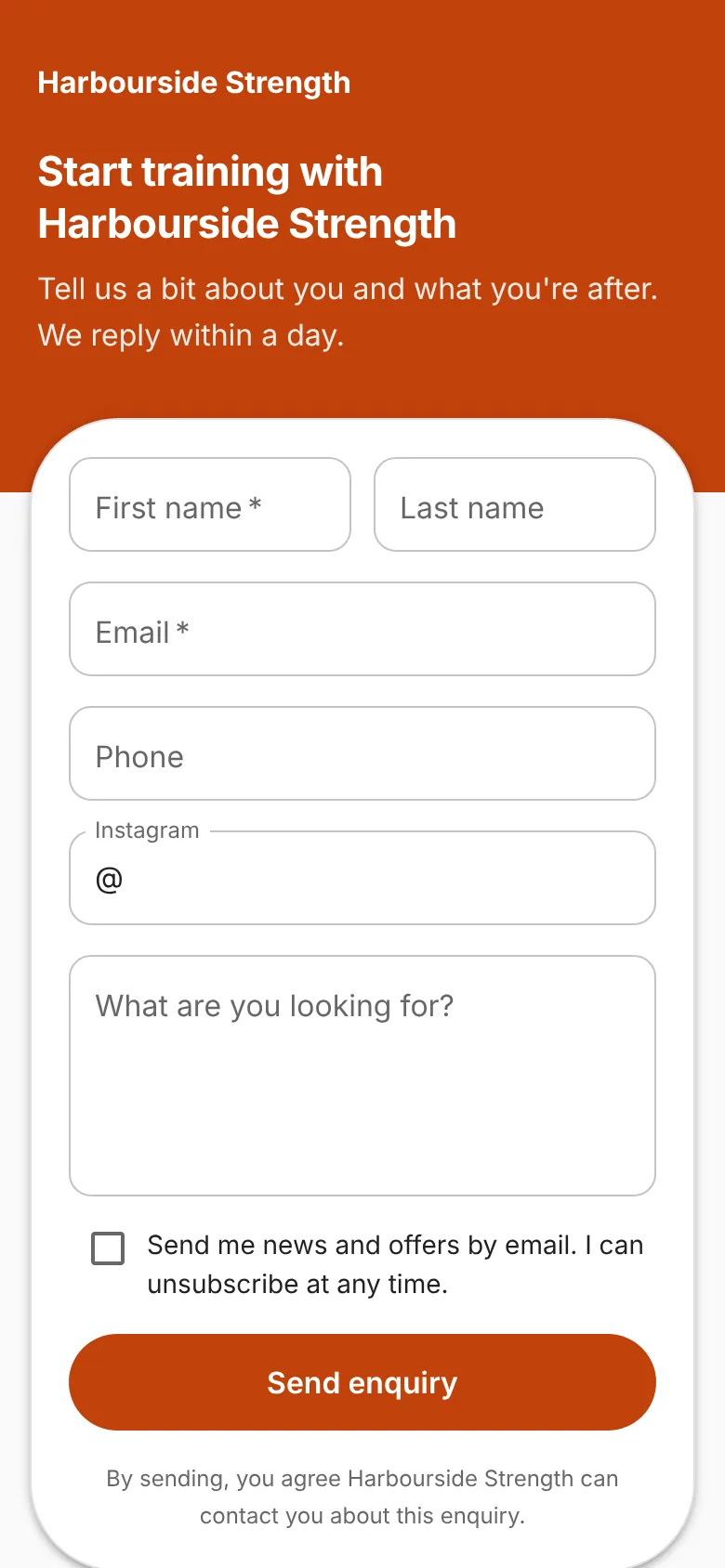
An enquiry link and a form for your website
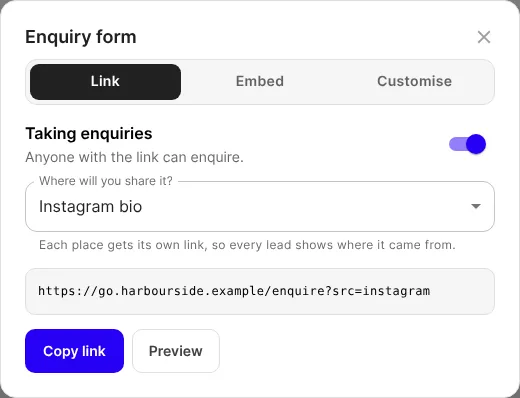
In Leads, open the ⋯ menu and choose Share enquiry link. Pick where you'll share it, such as your Instagram bio, and copy that place's link, so each lead shows where it came from. To add the form to your site, copy the code from the Embed tab. The page uses your name, logo and colour, and nothing on it says FitFocus.
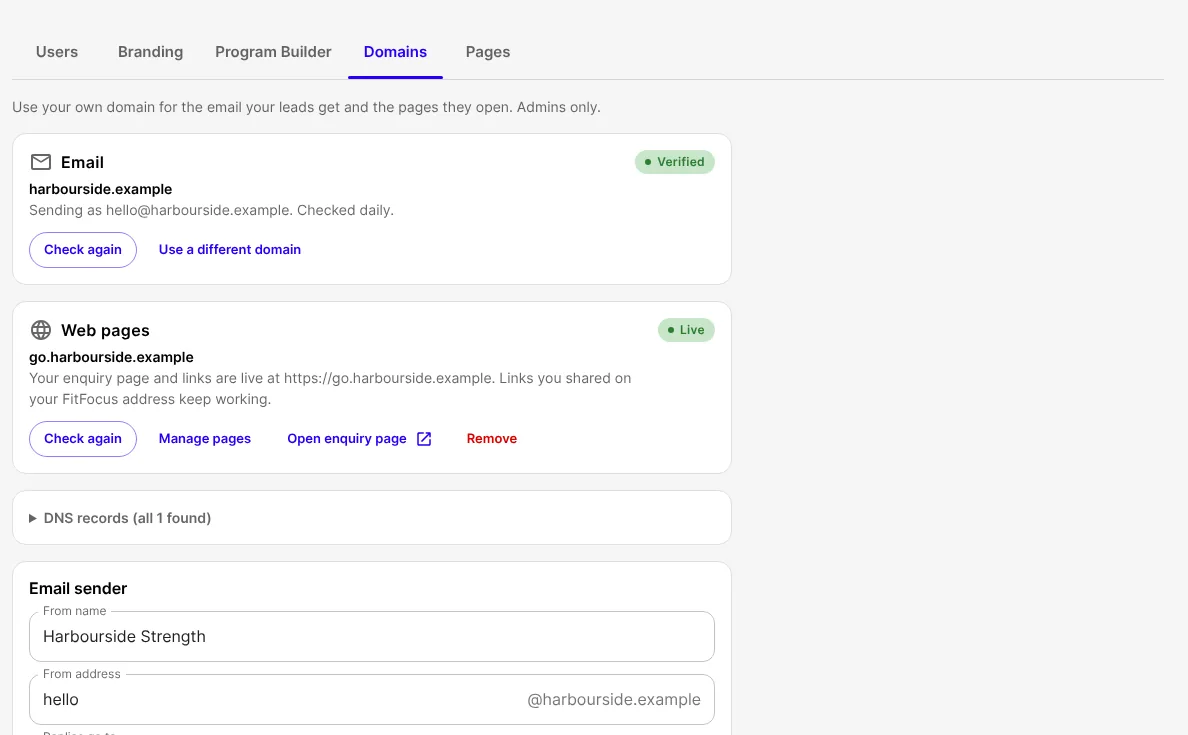
Replies and links from your own domain
Admins can verify your email domain under Organisation, then Domains. Then people who enquire get an automatic reply from your address. Until then, enquiries still become leads, but nobody gets a reply. You can also run your enquiry page and links on your own address, such as go.yourgym.com.
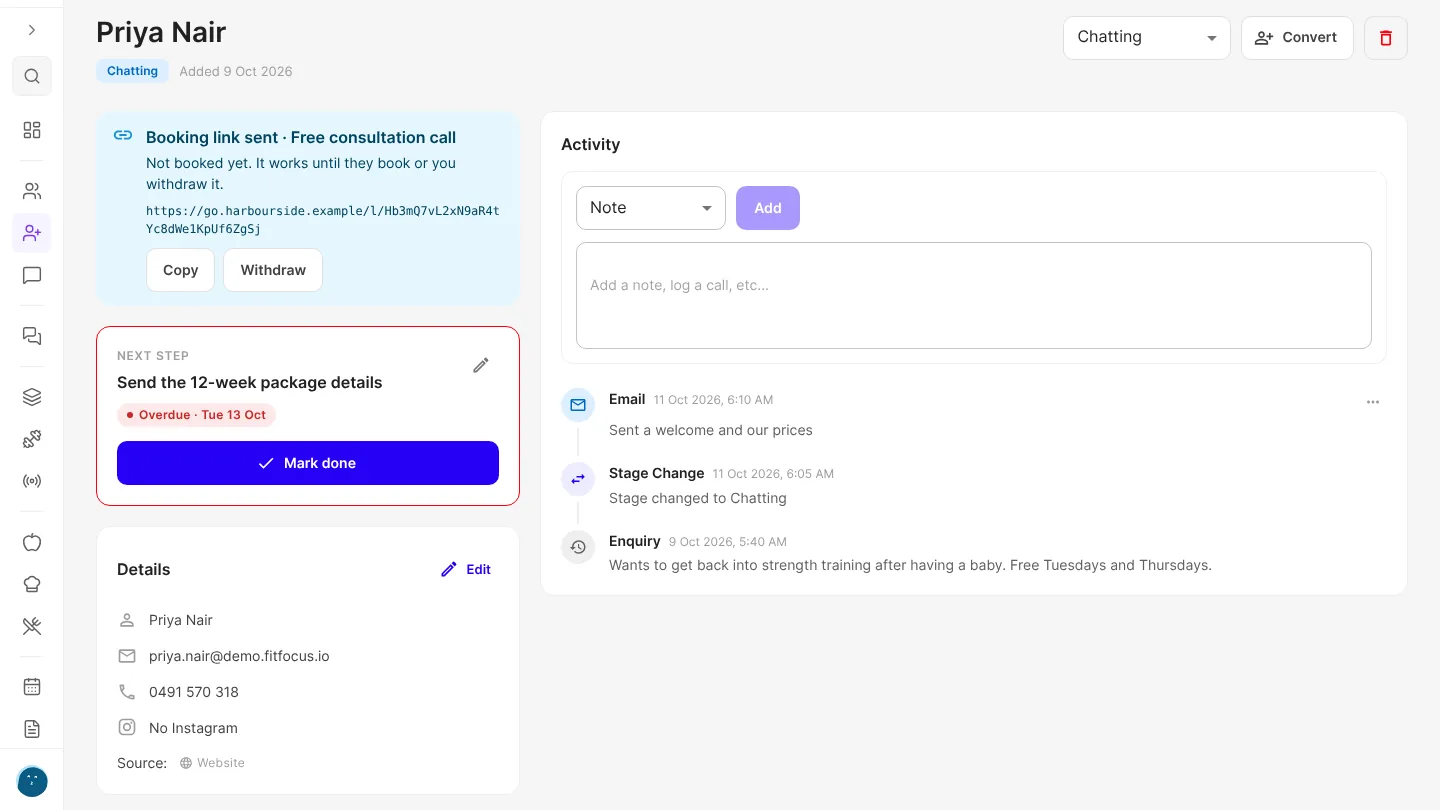
Know what to do next with every lead
Save a lead with just a first name and an Instagram handle, then add a source, a next step and a due date. Cards show who's due or overdue, Due & overdue filters the board and list, and your dashboard has a Lead follow-ups card.
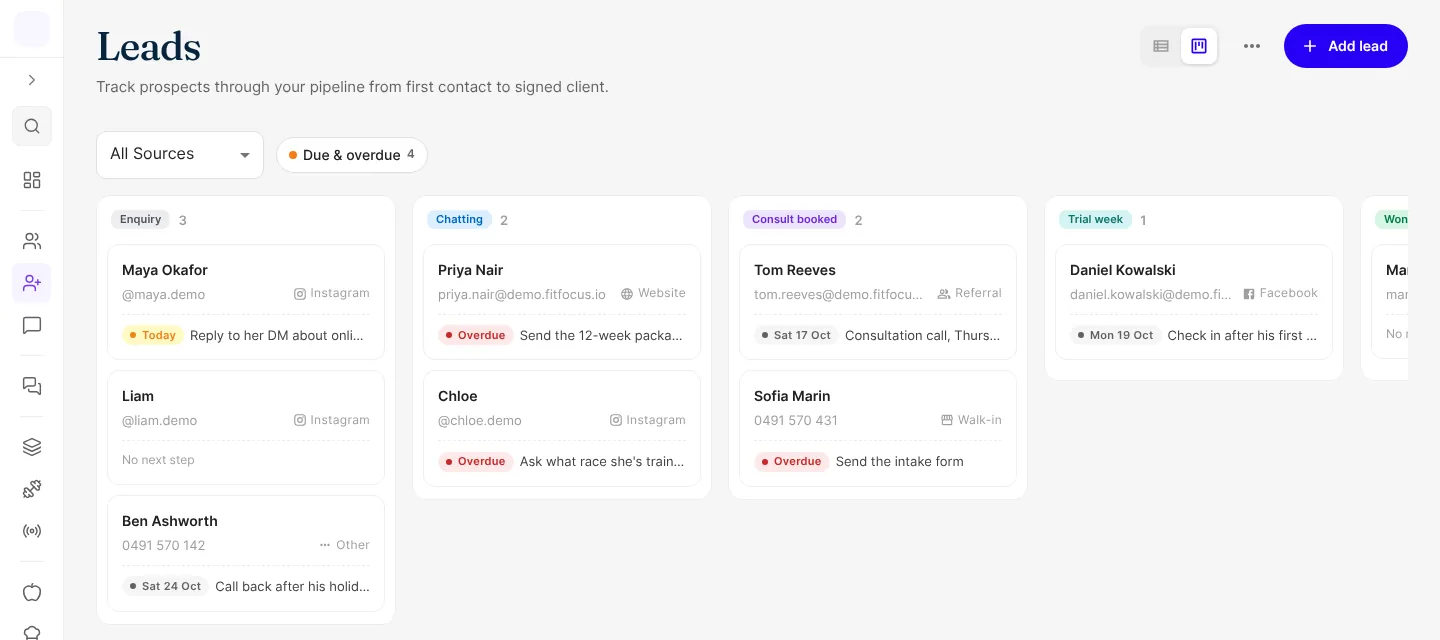
On a lead, Mark done logs the step and asks what's next. Notes and logged calls can be edited.
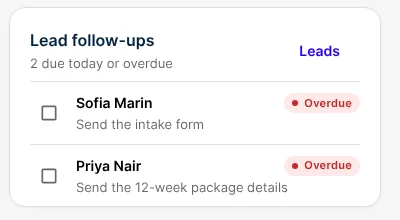
Reminders
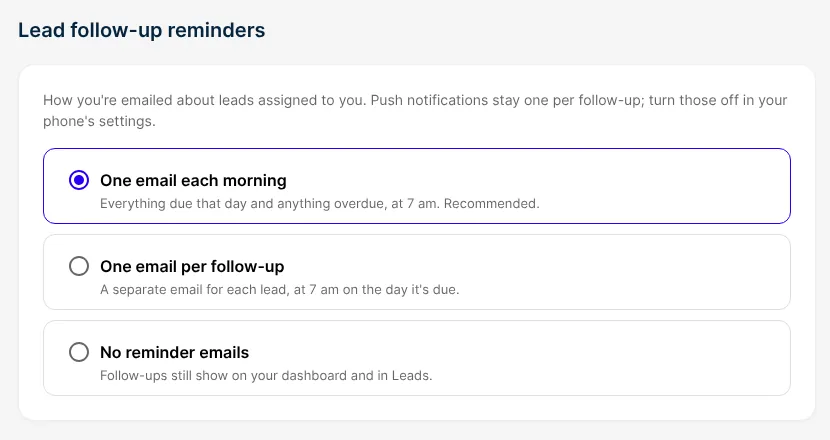
From 7 am in your workspace's time zone, you get a push when a follow-up is due, and another the first morning it's overdue. Choose your emails in Profile, under Settings.
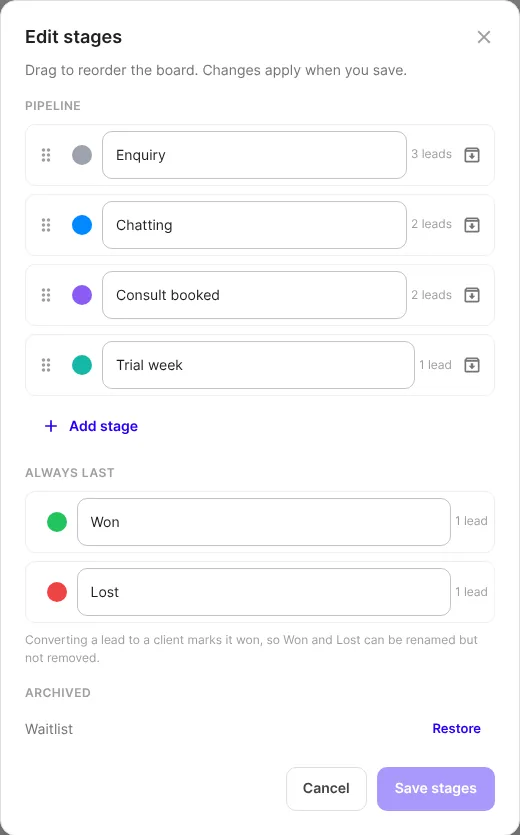
Name your stages
Admins can rename, add, reorder, recolour and archive stages under Edit stages in the ⋯ menu. Leads keep their stage, and Won and Lost stay last.
Bring leads in, and take them out
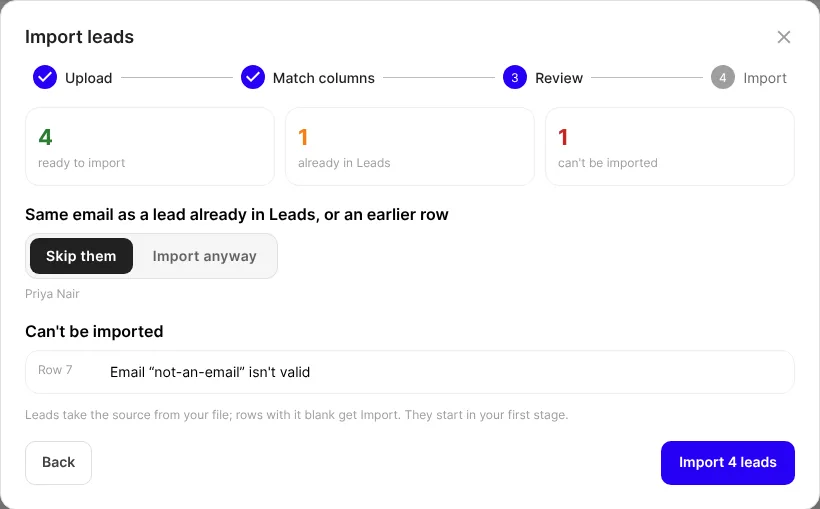
Choose Import leads from CSV, match your columns, review, then import. Emails you already have are skipped unless you choose otherwise, and rows that can't be imported are listed. Export leads as CSV downloads them all.
Turn a lead into a client from a link
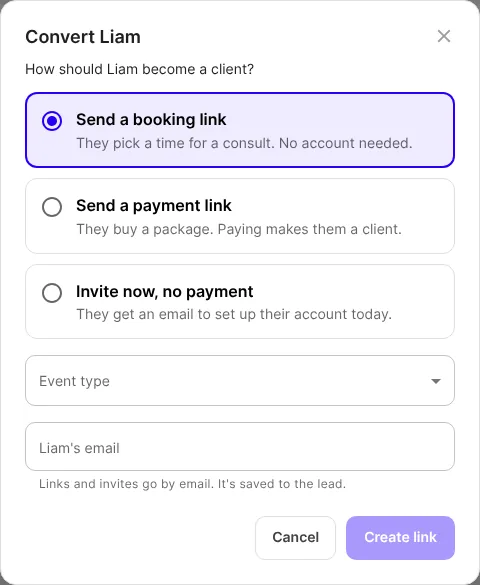
Choose Convert on a lead to send a booking link, a payment link, or an invite. The lead needs no account to book or pay. A client account is created once Stripe confirms the payment, and the lead's notes stay.
Good to know
- Domains, stages and Pages are for admins. Pages hosts a privacy policy and terms on your own address.
- Payment links need your Stripe account connected.
- Imported leads have no marketing consent unless you match a consent column.
- Live on the web now. Leads reaches the iOS and Android apps with their next store update.
Get started
- Open Leads, then ⋯, then Share enquiry link.
- Put the link in your Instagram bio, or the code on your website.
- Ask an admin to verify your email domain.

Written by
FitFocus team
FitFocus writes about coaching software, pricing, and the business of running a premium coaching practice. FitFocus is part of the Hale Health ecosystem.
Keep reading

The Exercises That Travel Together: What Coaches Pair
Coaches do not pick exercises one at a time, they pick them in pairs. Across 70,000 logged workouts, the same couplings keep turning up, and two rules sit behind almost all of them.
Run a steps, active calories or sleep quality challenge for your clients
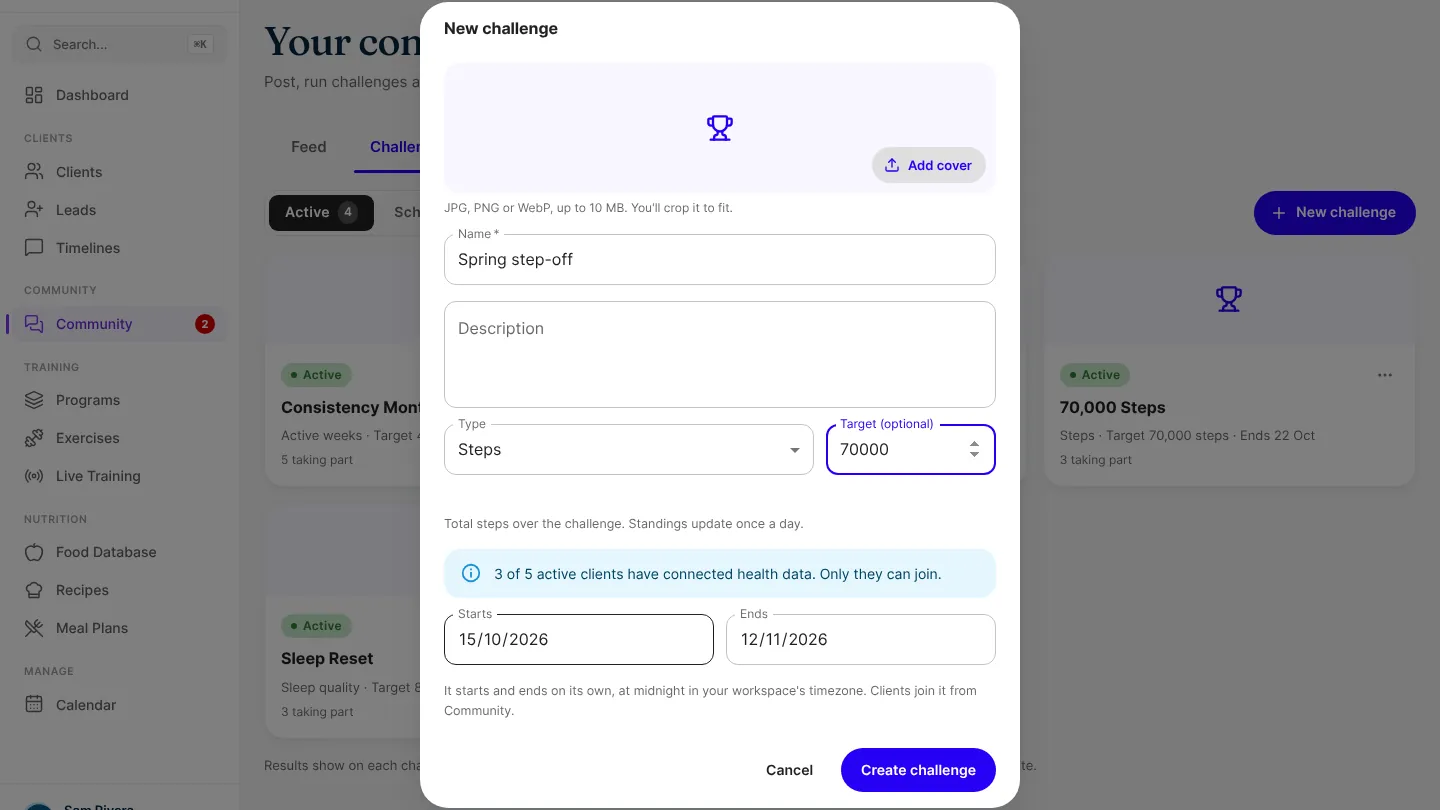
Community challenges can now count steps, active calories or sleep quality. Set the dates, and clients who've connected their health data in the app can join.

The Exercises Coaches Are Programming Less (And What Replaced Them)
Nothing was banned. Five once-standard movements sit at the thin end of premium programming now: the crunch, the upright row, behind-the-neck work, good mornings and unstable-surface loading.