
Send campaigns to your leads and clients from your own domain
Write an email in FitFocus, send it to a segment from your own domain, and see what happened. Unsubscribes are honoured at once, and opens are never tracked.
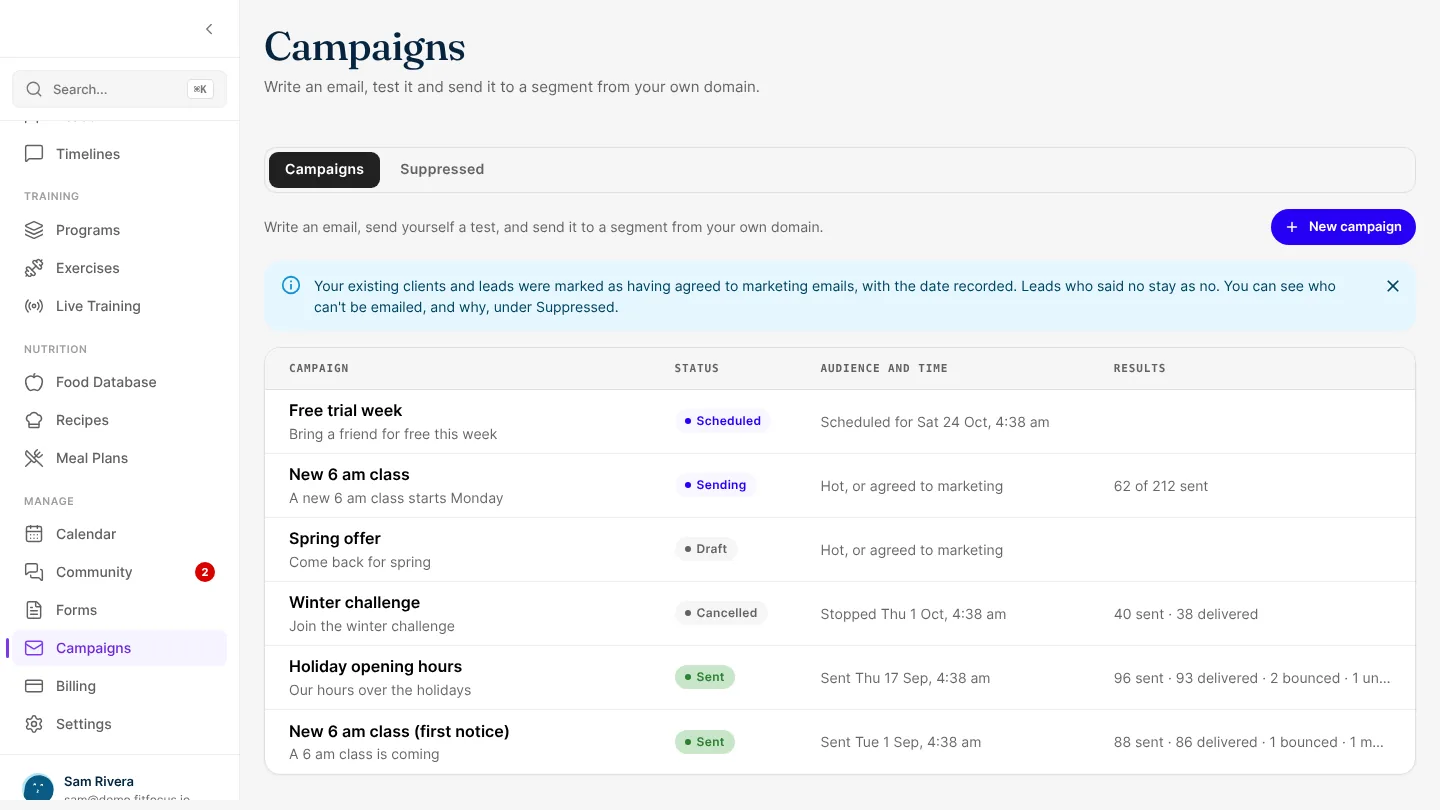
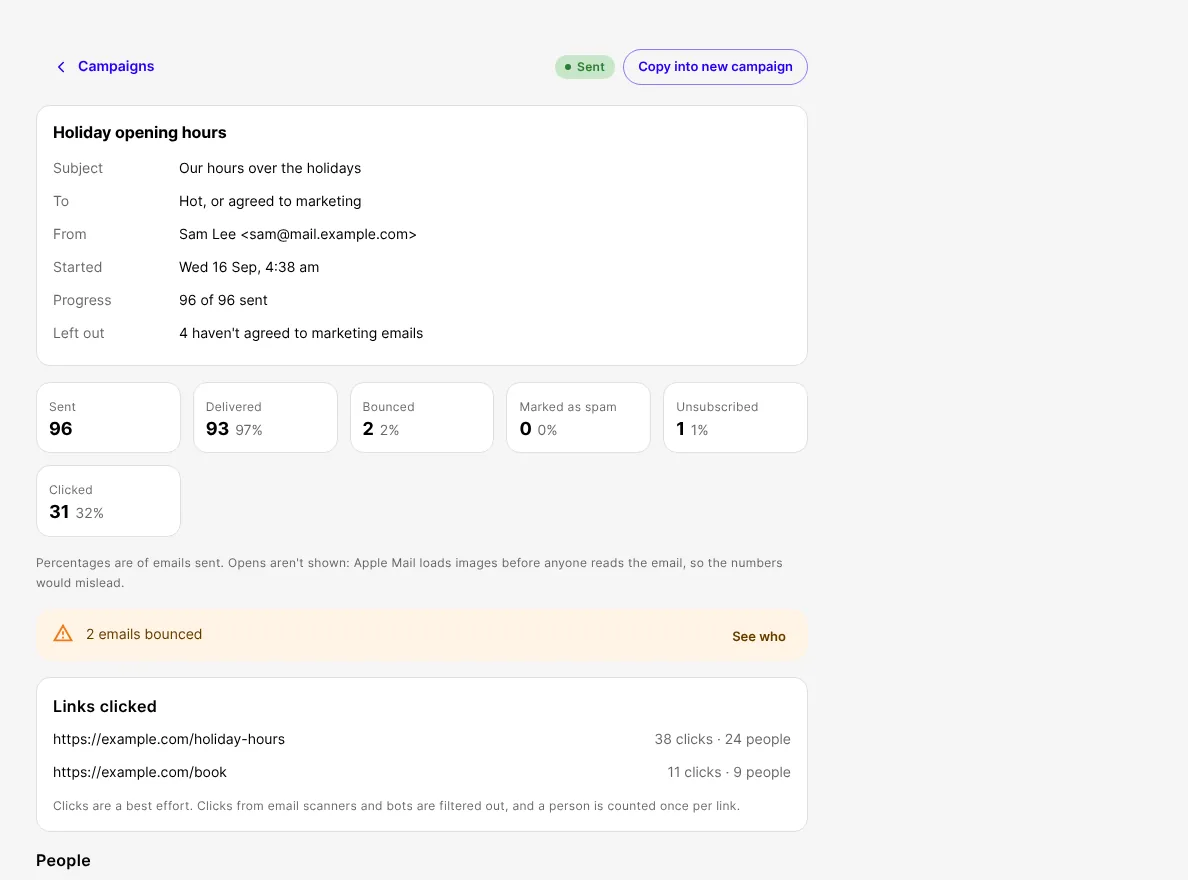
Write an email in FitFocus, send it to a segment from your own domain, and see what happened, without copying contacts out.
Write it and choose who gets it
Campaigns, under Manage in the sidebar, is for admins. Choose New campaign, pick a segment, then write the subject, preview text and email, with headings, lists, links and images (JPEG, PNG or GIF, each with alt text).
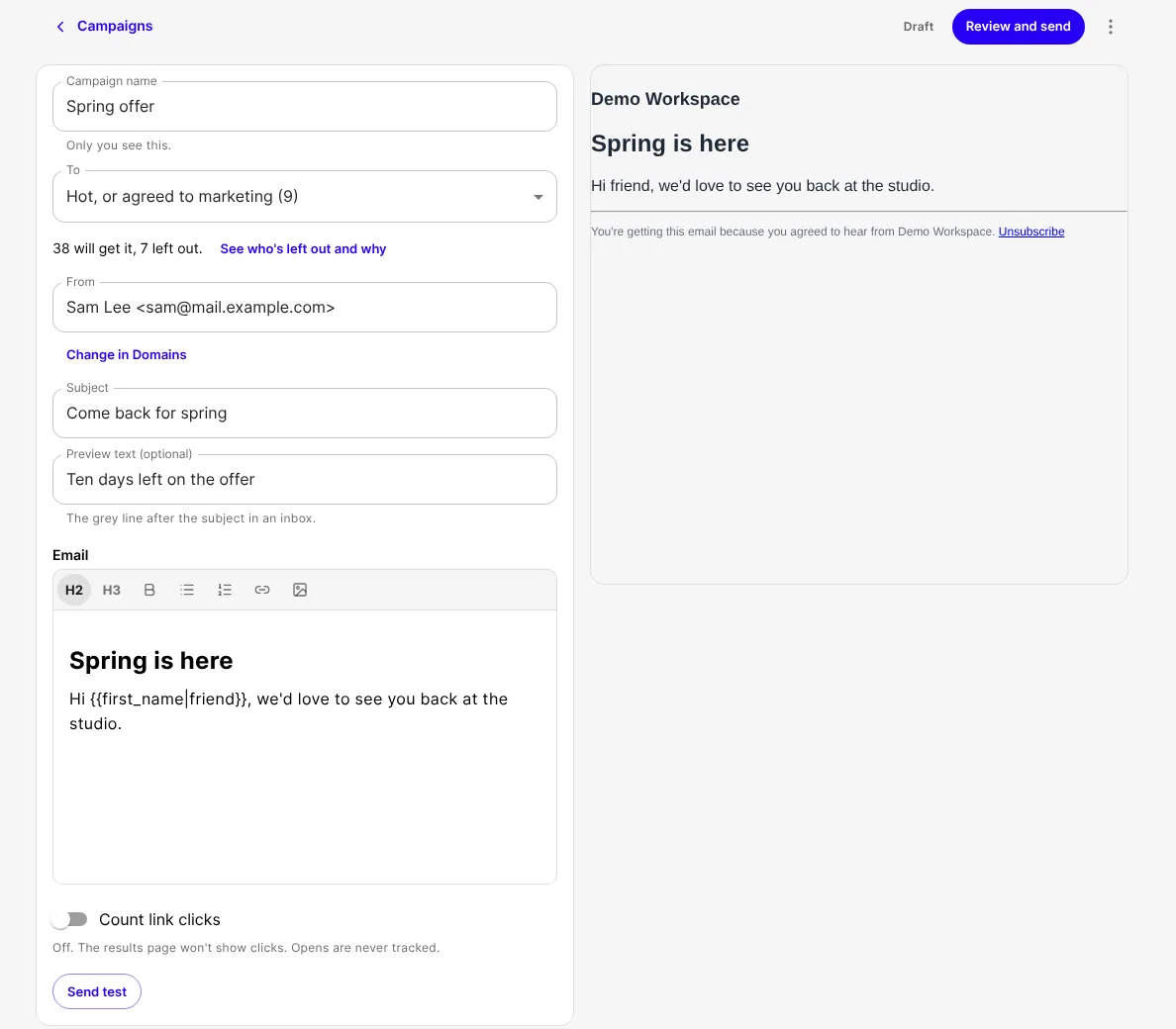
It's sent from your own verified domain, never FitFocus's. Set up your domain and sender in Domains first. Until then, drafts only. Your email marketing goes out from the same leads and clients you already work with.
Who gets it
Only people who have agreed, haven't unsubscribed, bounced or reported spam, and have an email. People with nothing from them in 6 months are left out unless you include them. The review shows who is left out and why.
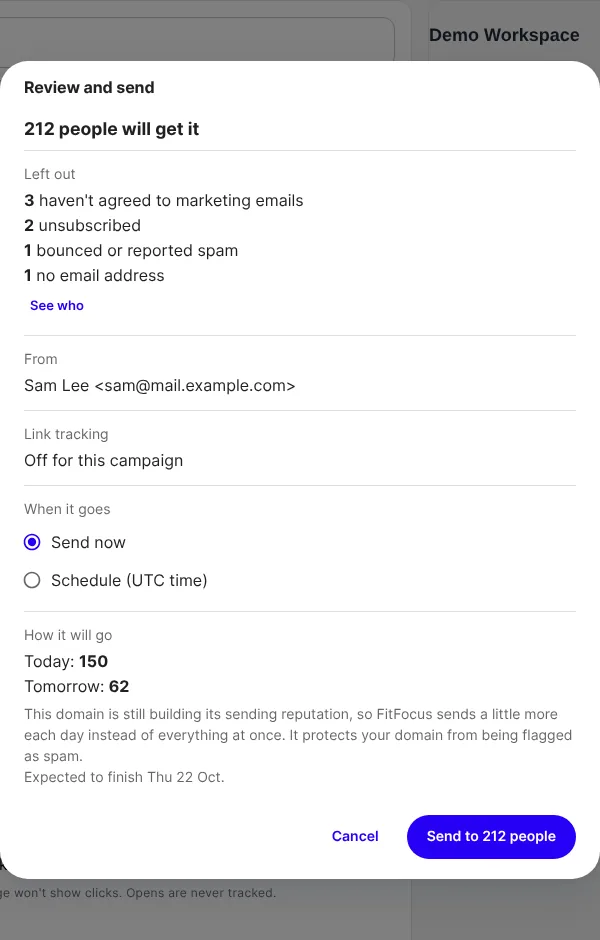
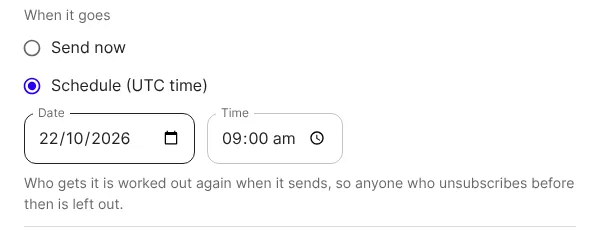
Choose Send now, or Schedule a date and time in your workspace's timezone. Who gets it is worked out again at sending.
Your domain comes first
Big sends are spread over days, only between 7:00 am and 9:00 pm in your workspace's timezone, and a new domain builds up gradually. If bounces or spam reports get high, the campaign stops and your workspace is held until FitFocus support has looked at it.
Unsubscribing
Every email has an unsubscribe link, and mail apps get one-click unsubscribe. Opening the link changes nothing: the page, in your name and colour, asks first, and the button works at once.
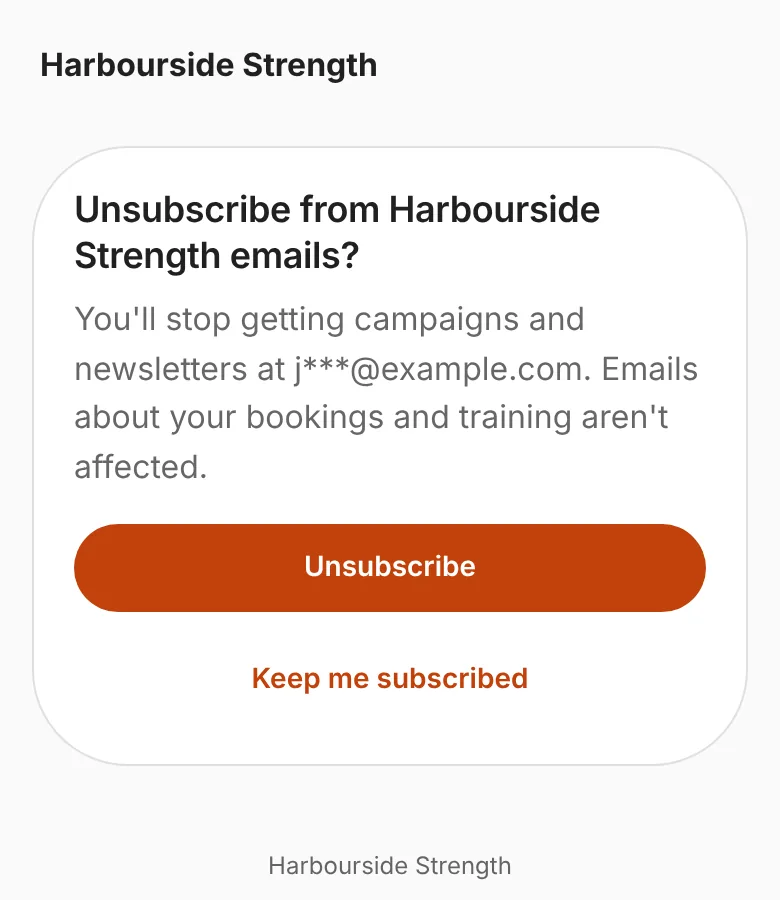
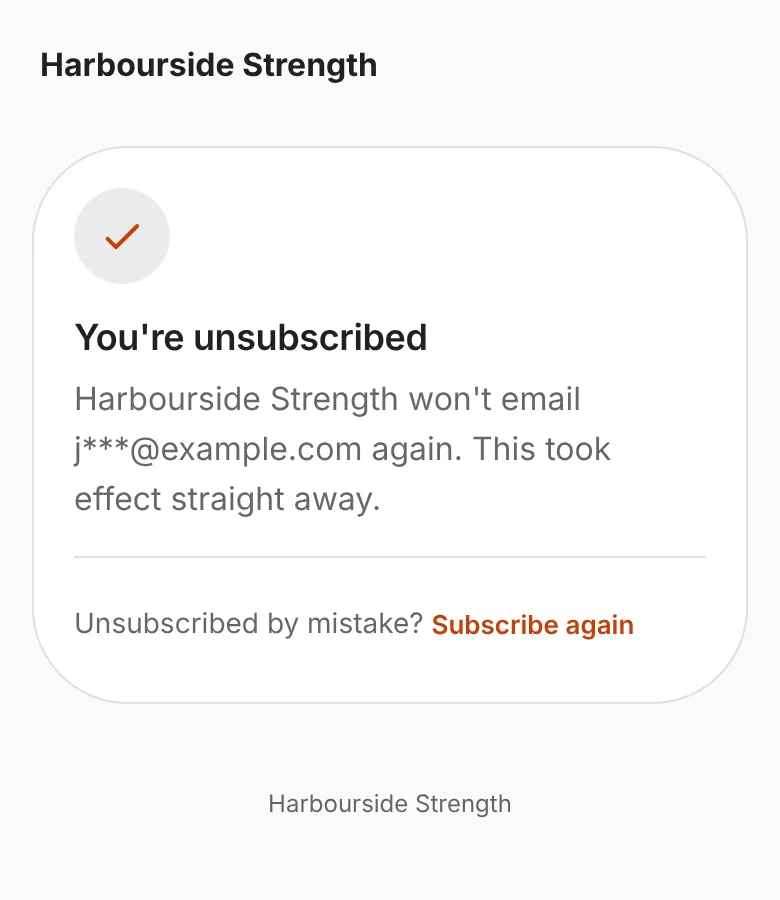
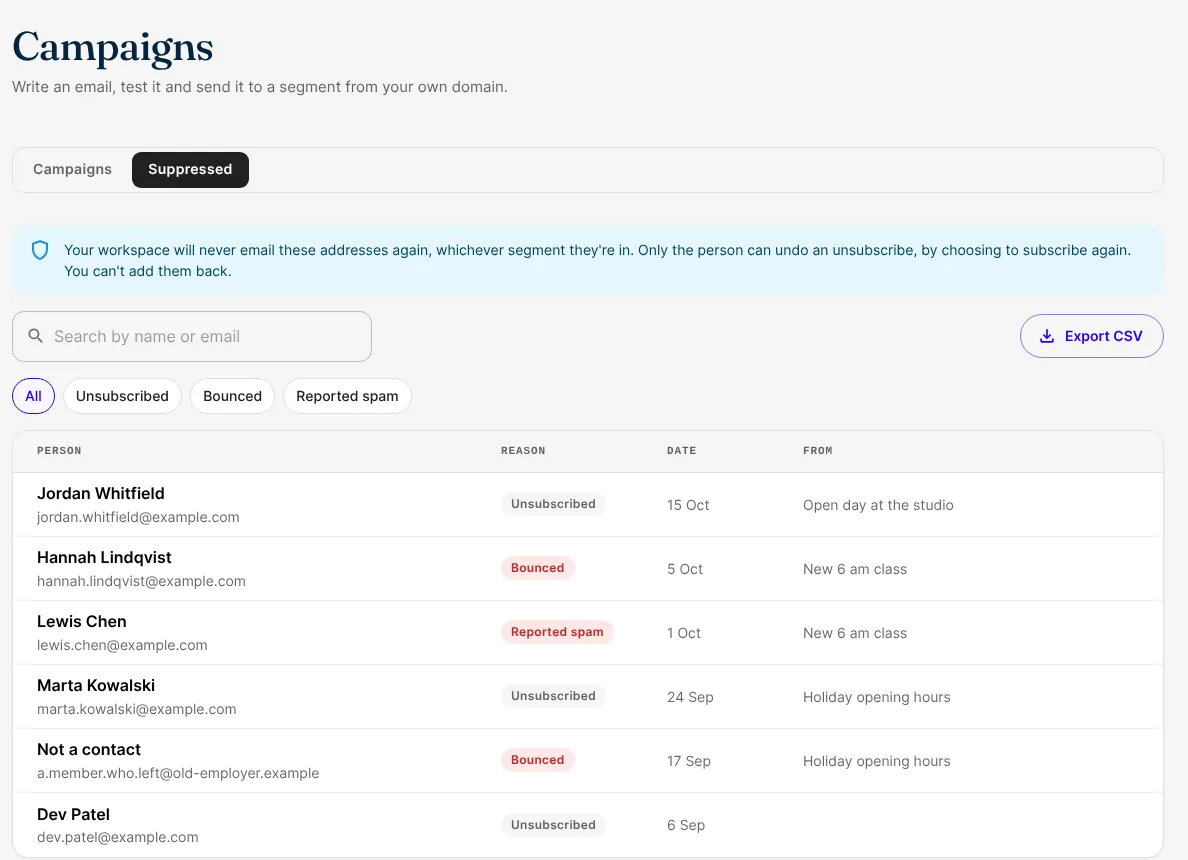
Nobody who unsubscribes, bounces or reports spam is emailed again. Suppressed lists them. You can't add them back: only they can subscribe again.
Results
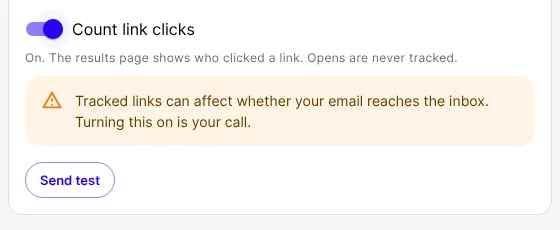
Each campaign shows sent, delivered, bounced, marked as spam and unsubscribed. Opens are never tracked: Apple Mail loads images early. Count link clicks adds clicks. It's optional, off by default, and needs your own page domain. Tracked links can affect whether your email reaches the inbox, so turning it on is your call.
Consent on every contact
Clients now have Marketing emails on their profile, as leads do, with Stop emailing and Record consent.
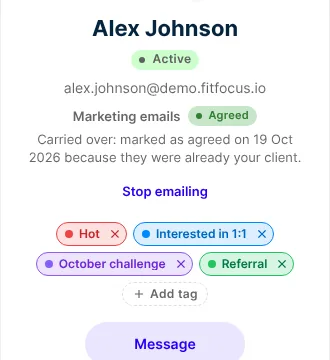
For existing contacts, with the date recorded:
- Active clients with an email were marked as agreed, source "Existing client". A client who was once a lead kept that lead's answer, a no included.
- Leads never asked were marked as agreed, source "Existing contact".
- Leads who ticked yes were left alone. Leads who said no stay no.
- Inactive clients and people with no email got no answer.
Good to know
- Consent, and what your email says, are your responsibility.
- We can't promise where an email lands in someone's inbox.
- Campaigns can't send until FitFocus finishes setting up sending. Drafts work meanwhile.
- Live on the web now. It reaches the iOS and Android apps with their next store update.
Get started
- Set up your sending domain in Domains.
- Choose Campaigns under Manage, then New campaign.
- Pick a segment, write the email, Send test, then Review and send.

Written by
FitFocus team
FitFocus writes about coaching software, pricing, and the business of running a premium coaching practice. FitFocus is part of the Hale Health ecosystem.
Keep reading

Onboarding a New Coach: The First Thirty Days on Your Team
Most coaching businesses onboard a new coach by shadowing and hope. This is the thirty-day plan that replaces it: a standard-led week one, co-delivery, supervised solo work, and the review that keeps quality after independence.
See everything about a contact, and tag and group them
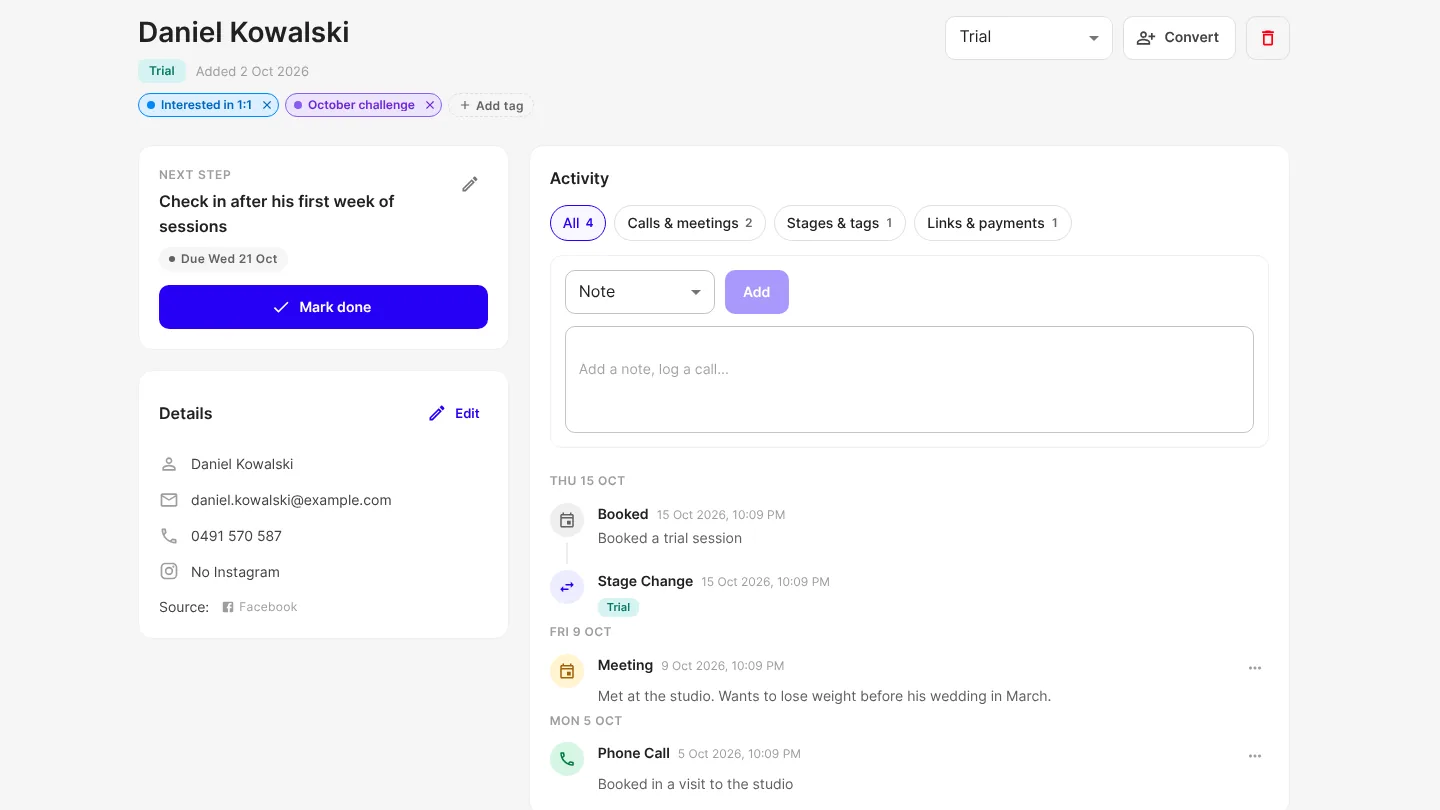
Every lead and client gets one Activity history, and their lead history carries over when they become a client. Tag people, find them by tag and save a group as a segment.

Handing a Client to Another Coach Without Losing Them
A client who signed up for you and is reassigned to someone else is the most delicate moment in a coaching business. The five-stage hand-off, the words that work at each stage, the two transfers to refuse, and the thirty-day check that tells you whether it took.