
Live Training opens your client's next session
Pick your client in Live Training and their next session is ready to start. No more choosing the program and session from lists.
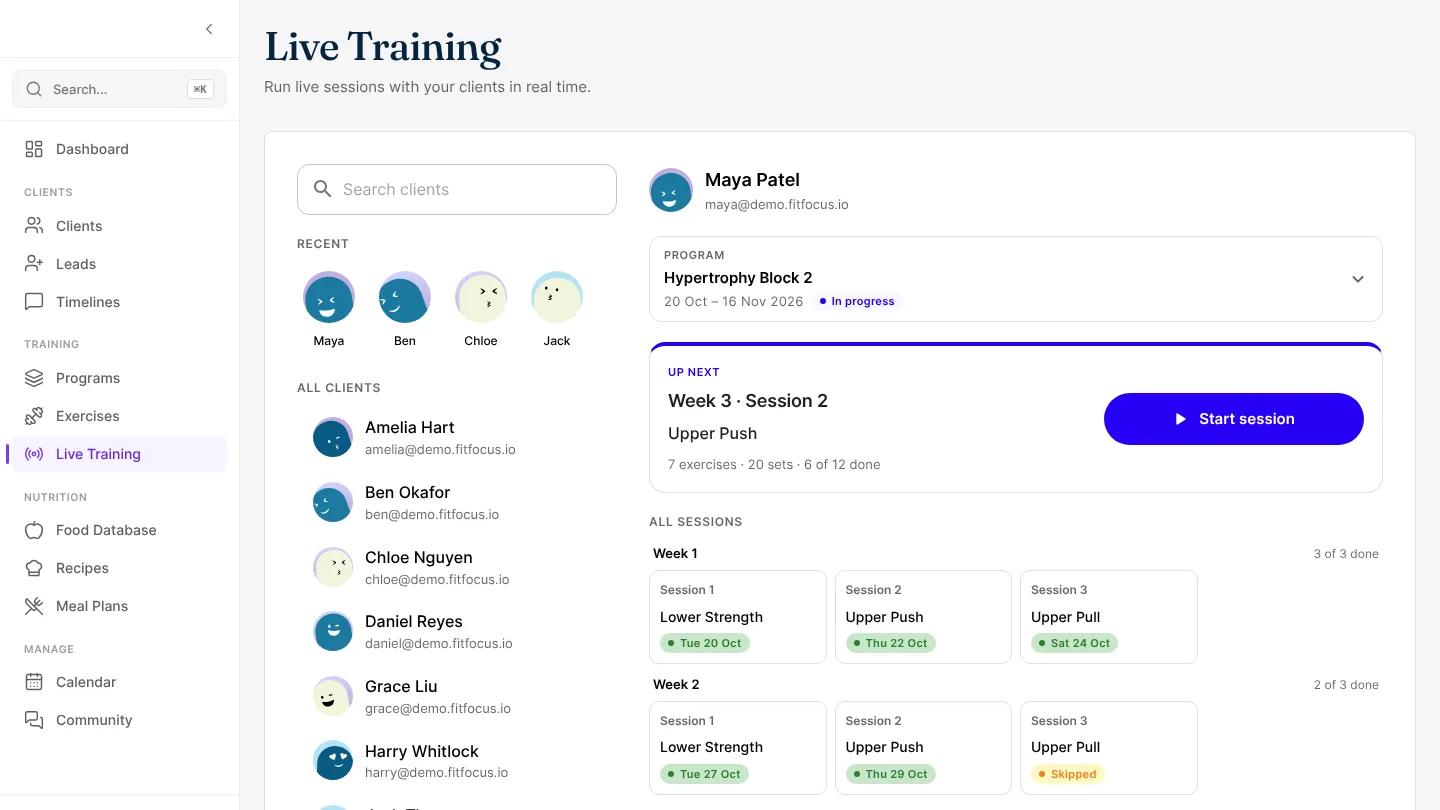
Pick your client and their next session is ready to start. Live Training finds the program they're on and the session that's due, so you don't have to pick them from lists.
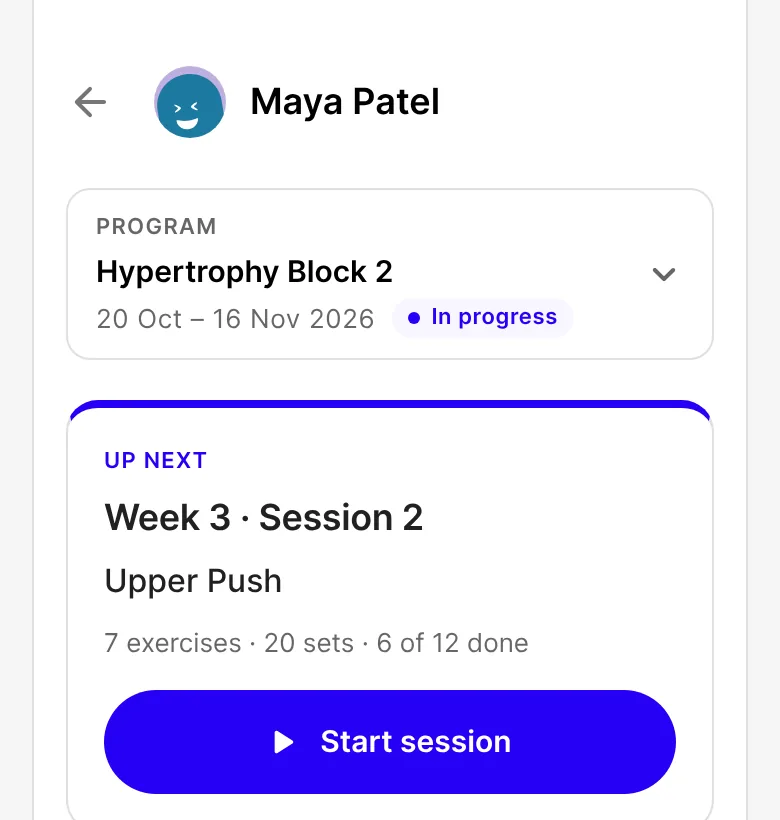
Find your client fast
Start typing a name or email and the list narrows as you type. The clients you've trained recently sit at the top, one tap away.
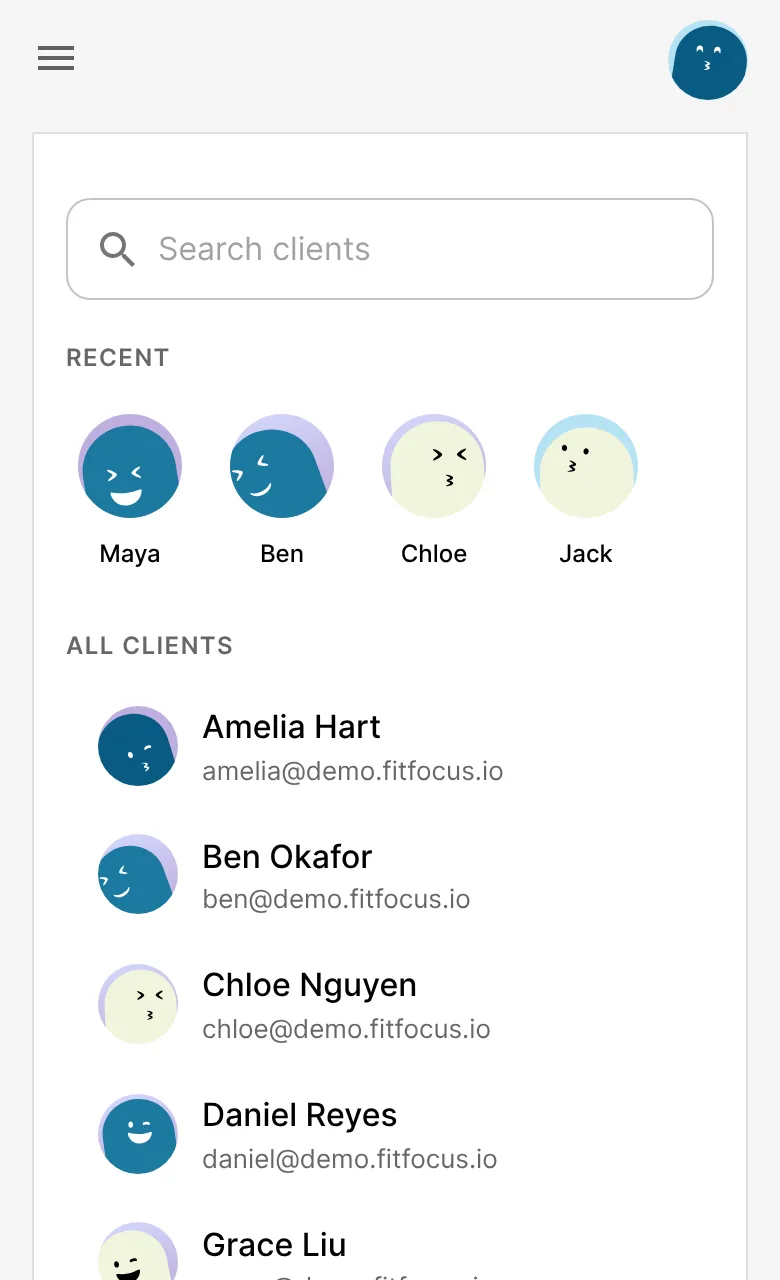
Up next, ready to go
Choosing a client opens the program they're on now and shows the session that's due: the week, the session, how many exercises and sets, and how far through the program they are. Tap Start session.
If they're not on a program right now, Live Training opens the next one to start. If every session is done or skipped, it says so, and offers their upcoming program if they have one.
Every session, at a glance
Below that, every session in the program is listed by week. Each one shows whether it's done, and when, or skipped, up next or not started. Tap any of them to run it, to log one they missed or to repeat one.
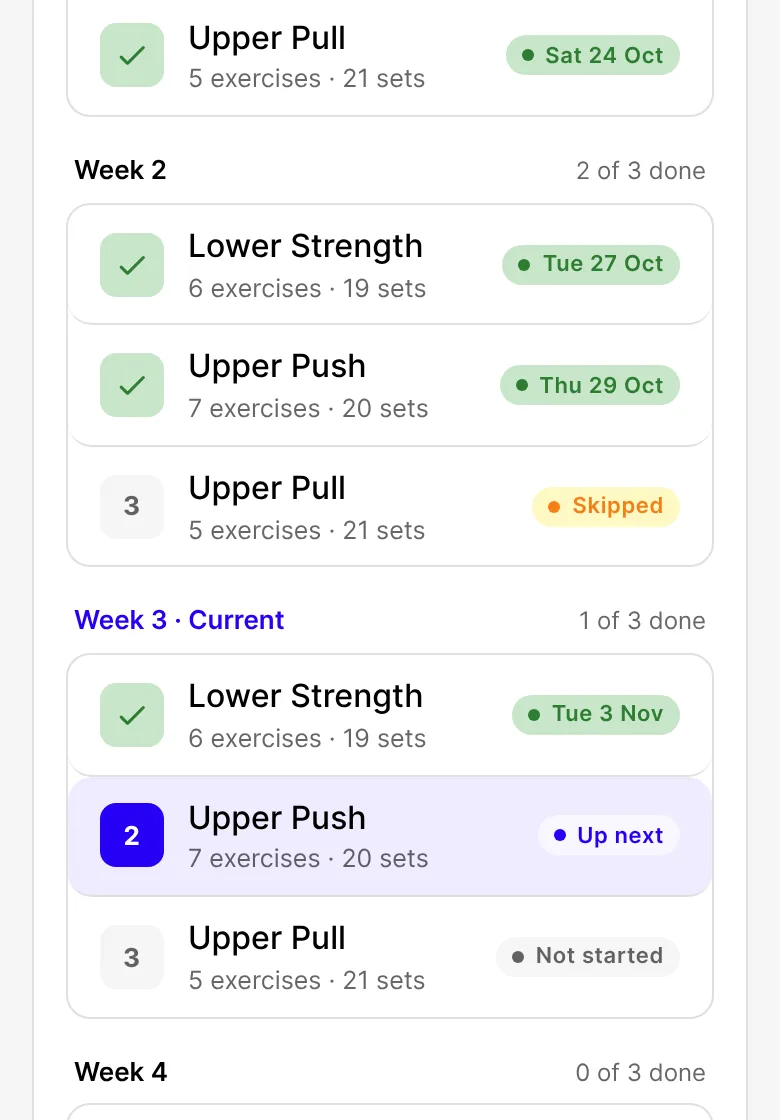
On a computer, the program is laid out as a grid of weeks and sessions.
A different program
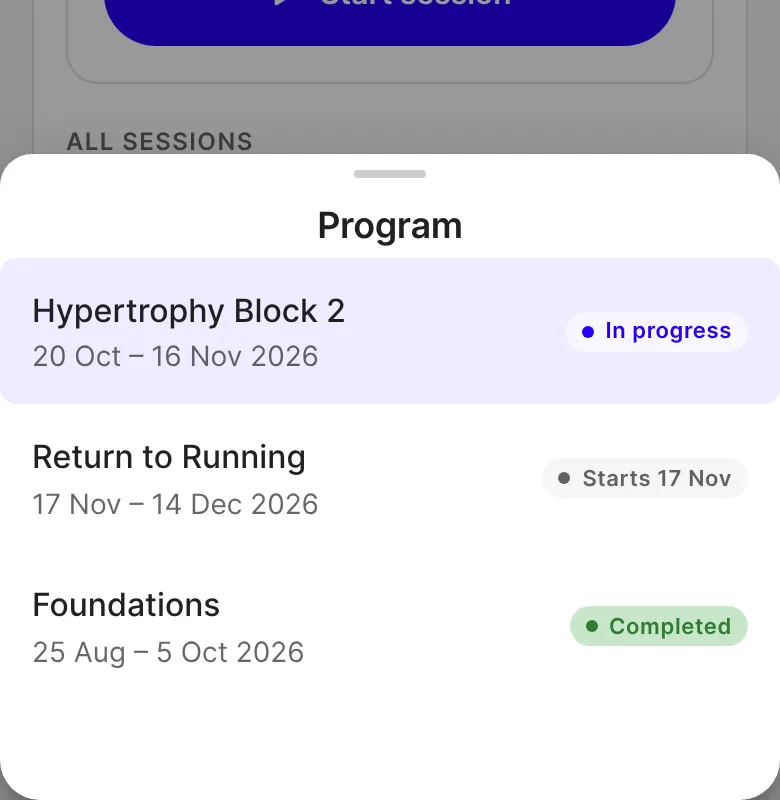
Tap Program to switch. You'll see each program's dates and whether it's in progress, starting soon or completed.
During the session
A bar at the top shows who you're training and which session it is, with an arrow back to their sessions. When you finish and send feedback, you're back on the same client with their next session up. It suits the in-person sessions clients book with you.
Good to know
- Only published programs appear. Drafts don't.
- Recent clients are kept on the device you're using, and cleared when you sign out.
- On a computer, the client list is hidden while a session is open, so a stray click can't close it.
- Logging sets, finishing, skipping and feedback work as before, and a finished session shows in your client's app with their other completed workouts.
- Live on the web now. It reaches the iOS and Android apps with their next store update.
Get started
- Choose Live Training under Training in the sidebar.
- Tap a client under Recent, or search for them.
- Tap Start session.

Written by
FitFocus team
FitFocus writes about coaching software, pricing, and the business of running a premium coaching practice. FitFocus is part of the Hale Health ecosystem.
Keep reading

How Many Sets Per Exercise Do Coaches Program?
Three sets of ten is the gym default. Across every set premium coaches prescribed on FitFocus in October 2026, the average was closer to two and a half per exercise, and the reason is weekly volume.

What Coaches Programmed in October 2026
A month of programming on FitFocus, read as data. Rows reach nearly two in three clients, machines and cables carry the volume, and one movement pattern barely registers.
Send campaigns to your leads and clients from your own domain
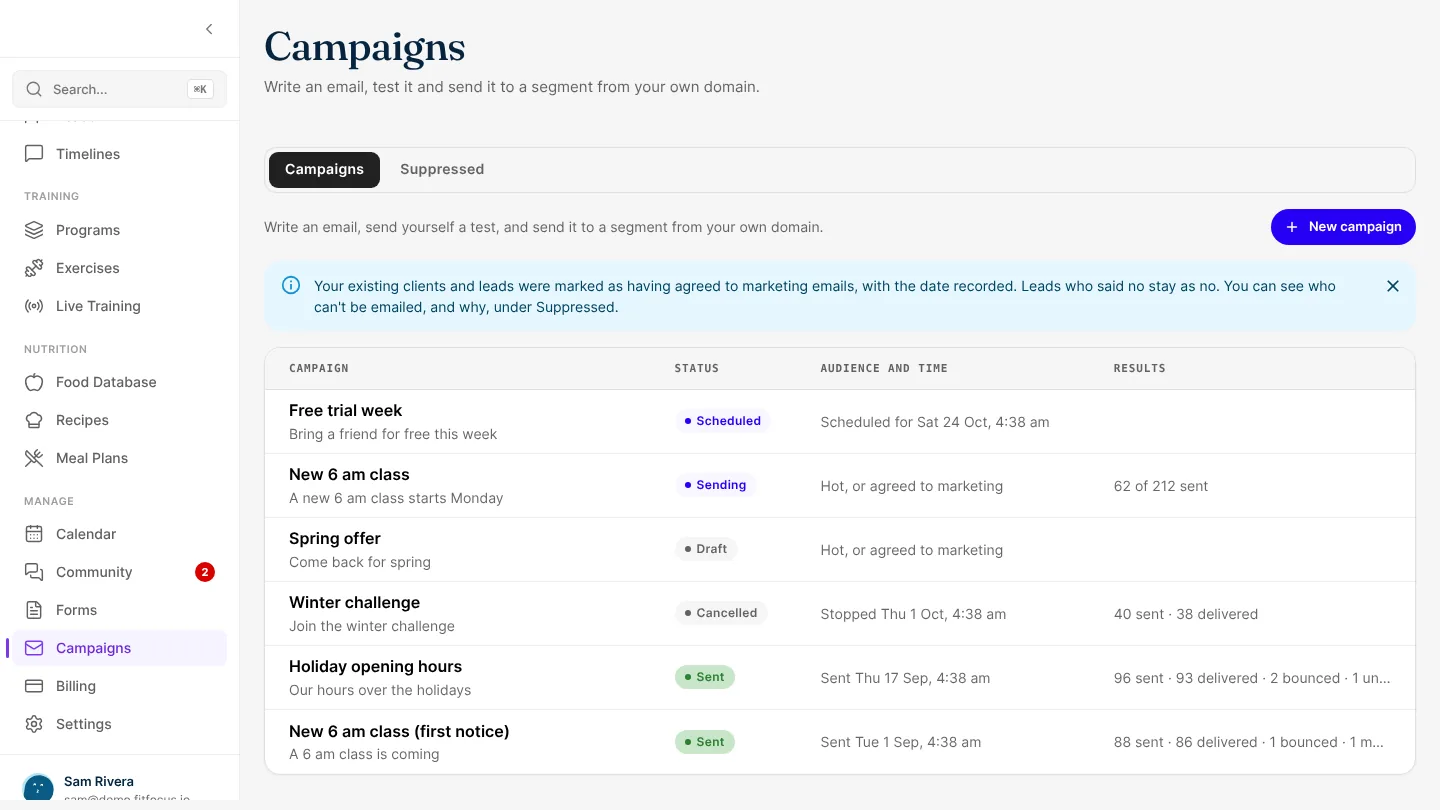
Write an email in FitFocus, send it to a segment from your own domain, and see what happened. Unsubscribes are honoured at once, and opens are never tracked.