
Organise a session into sections, and superset with A1, A2
Group a session's exercises under headings like Warm-up and Main work, and label supersets A1, A2 without typing a thing. Your clients see both.
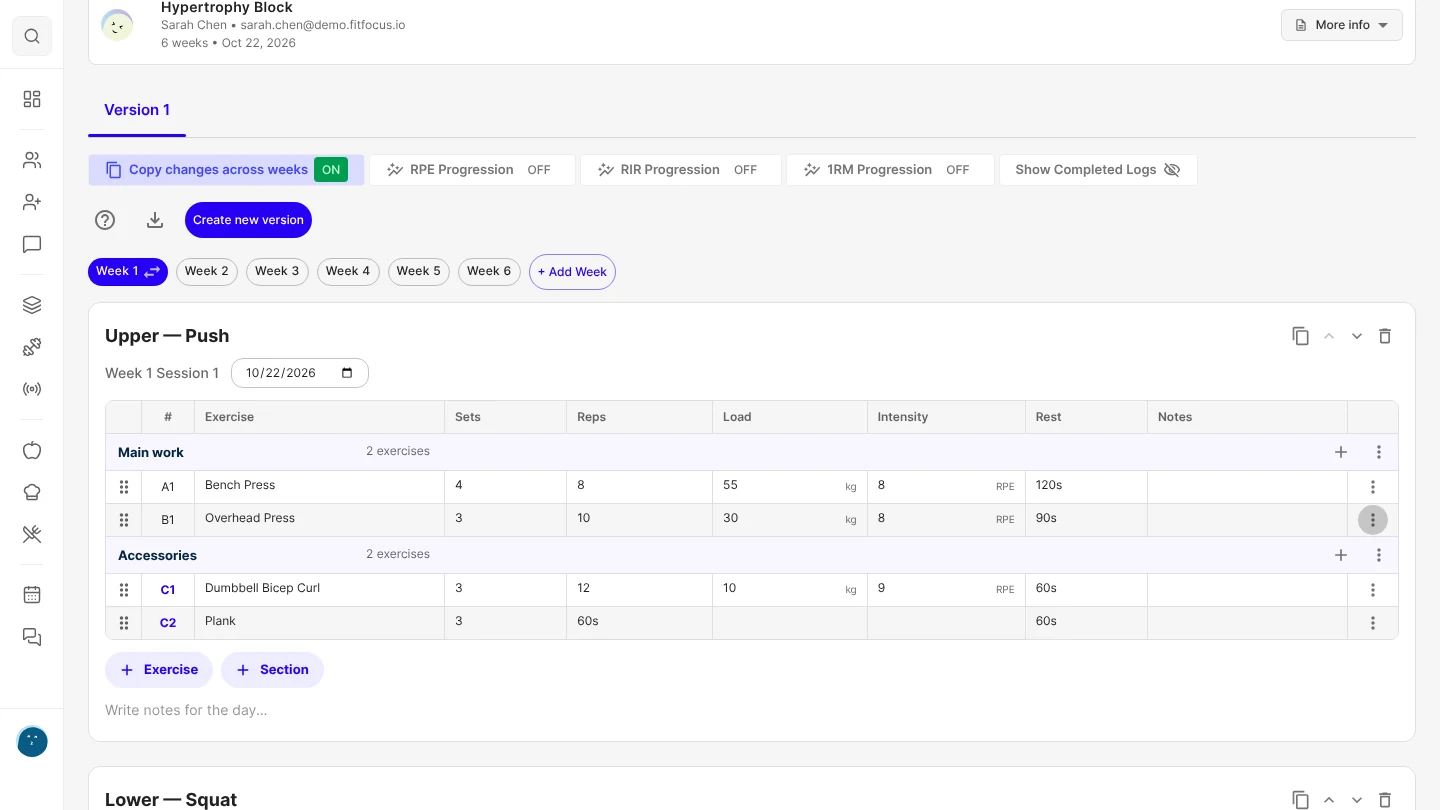
Lay a session out the way you plan it: a warm-up, the main work, accessories, a cool-down. Your clients see the same headings in their workout, and every exercise now carries its label, A1, B1, C1, so a superset is the exercises that share a letter.
Both are in the workout program builder. If you already program prep work, as most coaches do, it now has a heading of its own.
Group a session into sections
Choose + Section under a session and pick a name, or type your own. Everything under a heading belongs to it.
- Click a heading's name to rename it.
- The + on a heading adds an exercise straight into that section.
- The heading's menu moves the whole section up or down, or removes the heading and keeps its exercises.
- Drag an exercise across a heading, or use Move Up and Move Down, to change its section.
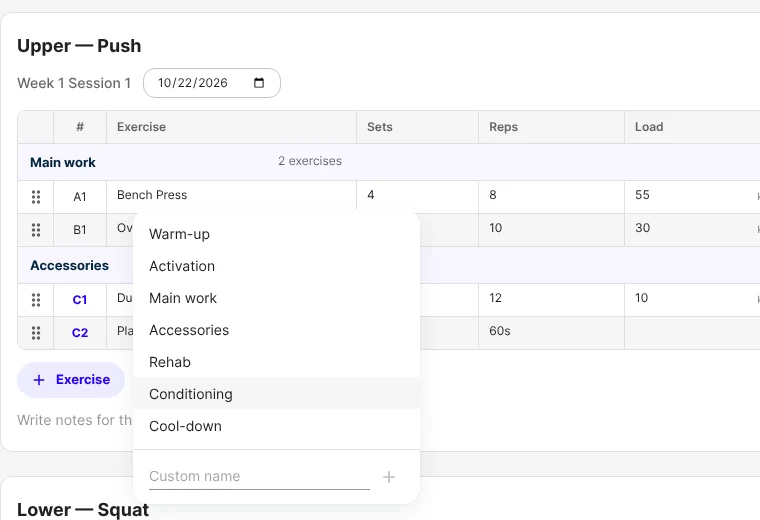
Supersets are A1, A2
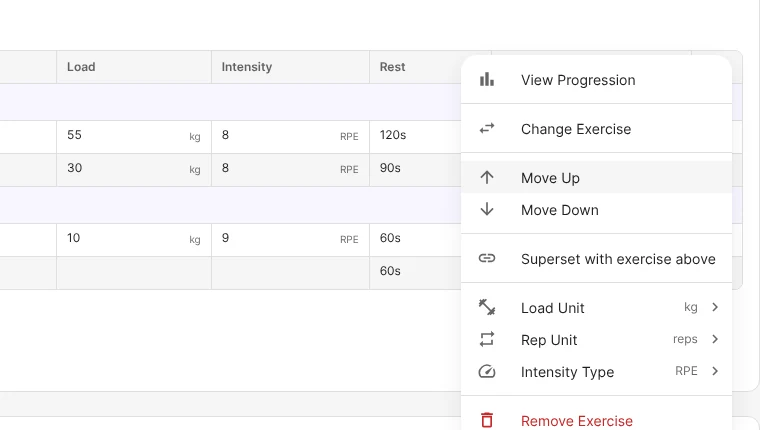
The first column now labels every exercise in order: A1, B1, C1. There is nothing to type. To superset an exercise with the one above it, open its menu and choose Superset with exercise above. The two share a letter, A1 and A2, and a third joins the same way as A3. Remove from superset puts an exercise back on its own.
The labels follow the order of the rows, so moving an exercise relabels everything for you.
What your clients see
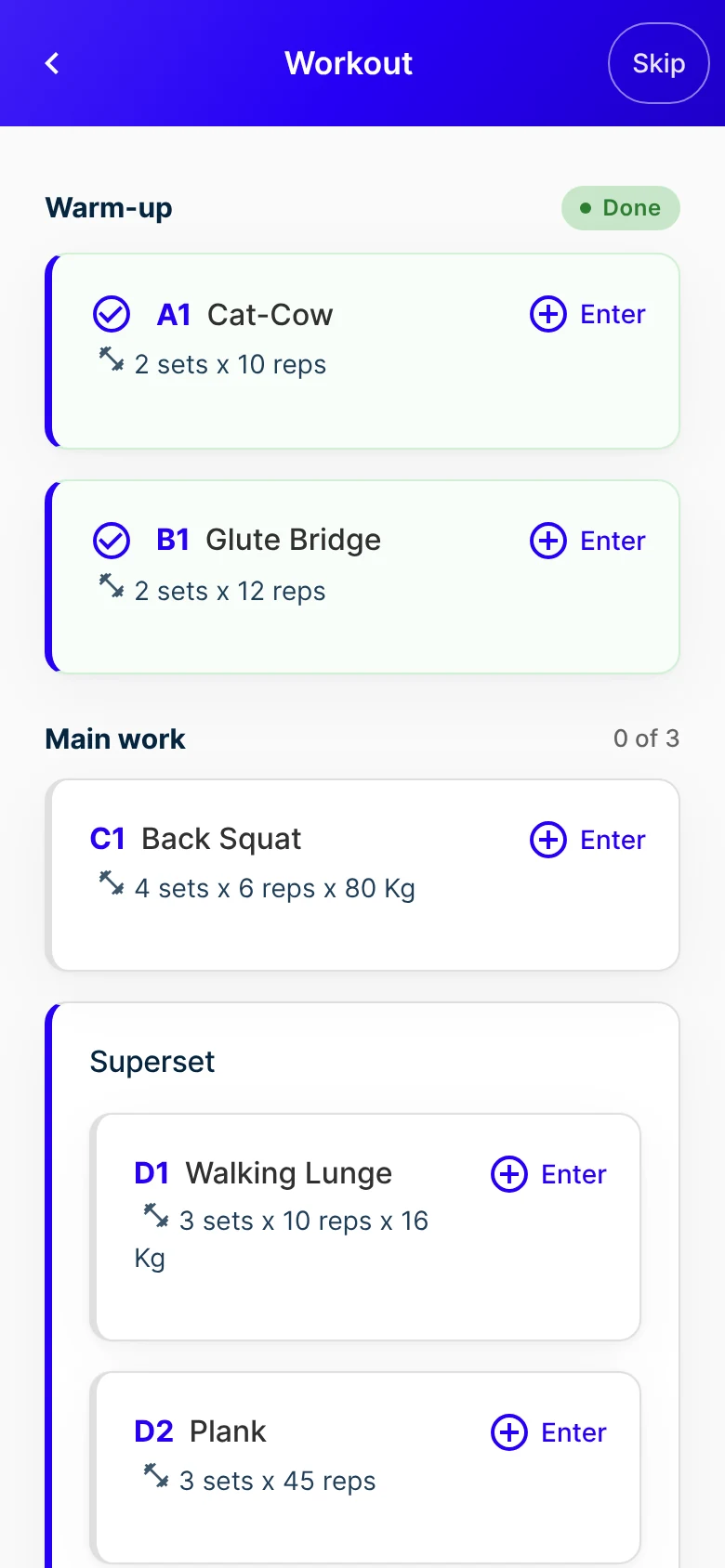
Their workout shows each section's heading with how far through it they are, and Done once it's finished. Each exercise shows its label, and a superset's exercises sit together in one card. It all appears in your branded client app.
Good to know
- Sections are optional. A session without any looks the same as before.
- Your existing supersets are kept. They open with their exercises together and labelled, and the old Supersets number column is gone.
- A superset stays inside one section.
- An exercise a client adds to their own workout shows under Added by you, not under your last section.
- Sections and labels carry over when you copy a session, save a new version, or assign a template.
- Live Training shows the same headings and labels.
- Live on the web now. It reaches the iOS and Android apps with their next store update.
Get started
- Open a program in the builder.
- Choose + Section under a session and pick Warm-up.
- Add exercises with the + on the heading.
- To make a superset, open an exercise's menu and choose Superset with exercise above.

Written by
FitFocus team
FitFocus writes about coaching software, pricing, and the business of running a premium coaching practice. FitFocus is part of the Hale Health ecosystem.
Keep reading

2,051 Exercise Names in One Month: The Case for One Library
In October 2026, coaches on FitFocus wrote 2,051 differently named exercises, including 20 names for the triceps pushdown alone. Most of that variety is harmless. The duplicates inside one business are not.

Coaches Barely Program Loaded Carries. That's a Mistake.
Pick up something heavy and walk. It is one of the oldest training ideas there is, and in October 2026 it made up half of one per cent of everything premium coaches programmed on FitFocus. We think that is a mistake.
Health Insights now explain every score
Each readiness, sleep, activity and mental wellbeing score now names its cause, shows what's behind it and says what to do today, for clients and their coach.