
Logged late? Your clients' training now lands on the day they trained
Clients who log a workout late can now set the day and time they actually trained, so their streak, your dashboard and your weekly numbers show the real day.

When a client finishes a workout in FitFocus after the fact, they can now say when they actually did it. Their training record, your dashboard and their streak show the day they trained, not the day they remembered to tap.
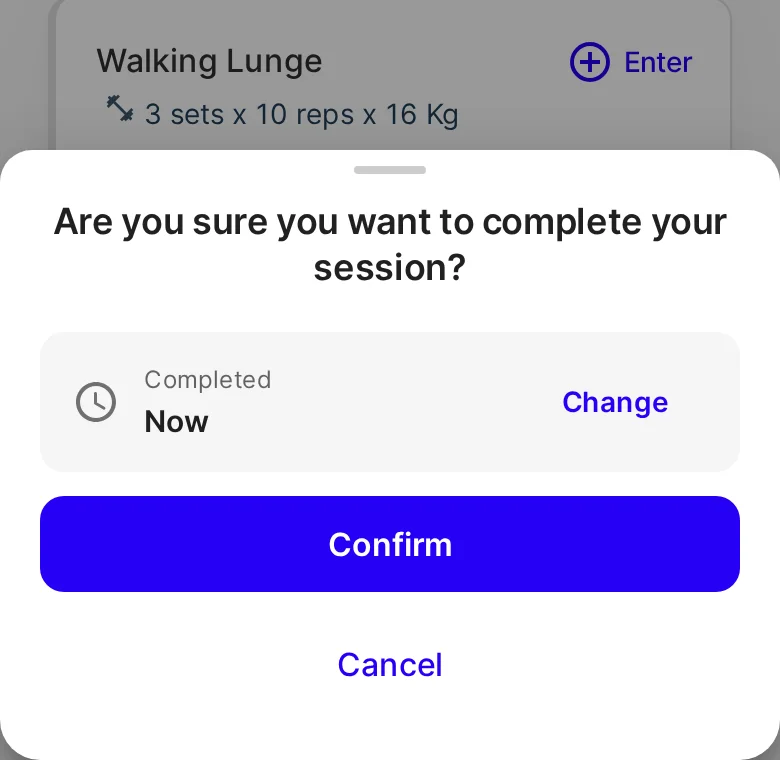
One tap still finishes it now
Nothing changes for a client who logs straight after a session. When they tap Complete session, the sheet shows Completed · Now, and Confirm records it as done now.
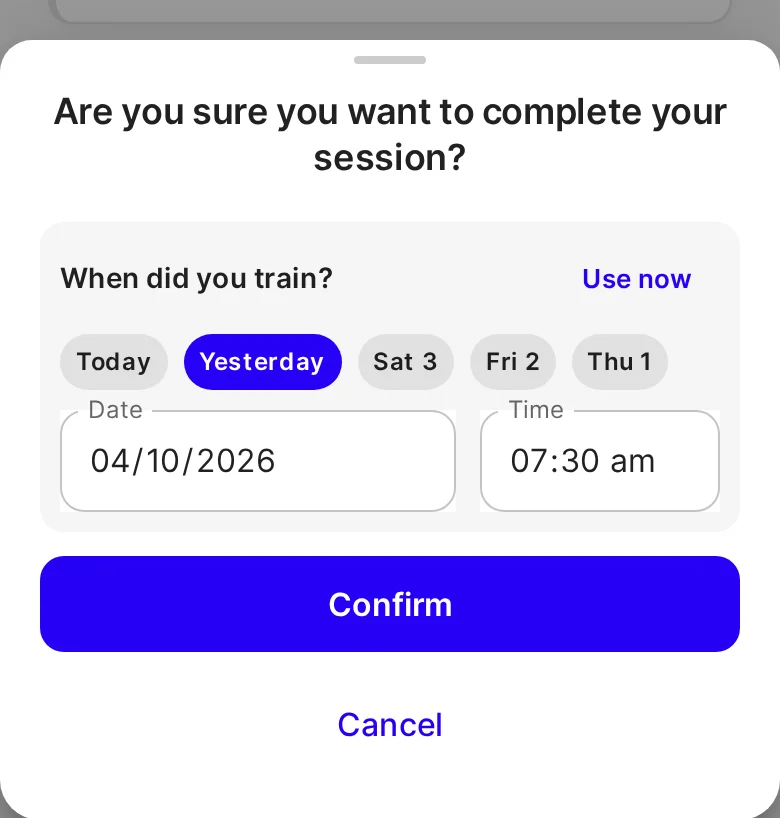
Pick the day and time they trained
A client who's catching up taps Change, then picks Today, Yesterday or one of the three days before, or any earlier date in the Date field. They can set the Time too, and Use now goes back to the default. The time can't be later than now. The same choice is there when a client changes a skipped workout with Change to Completed.
What you see as their coach
- The right day, everywhere you look. The workout counts on the day it was done on your dashboard and its completion rate, in "no workout in 7 days", in your weekly summary email and in inactivity reminders. A client who trained on Saturday and logged on Monday isn't flagged as inactive.
- You still hear about it when it's logged. It appears in your feed, and as a notification, when the client logs it. When it was done on an earlier day, it says so: "completed a workout on Sat 3 Oct".
- Their streak counts it once, on the day they trained, along with their "this week" count and calendar.
- Challenges: a late-logged workout counts toward an active challenge if the time falls inside it. Challenges that have finished don't change.
Good to know
- It's optional, and it's for clients finishing their own workouts. In Live Training, a workout you complete with a client is still recorded as done now.
- A client can't change the time once the workout is logged, and coaches can't set it for them.
- The choice is live on the web now, including on a phone's browser. It reaches the iOS and Android apps with their next store update. Until then, the apps keep recording workouts as done when they're logged.
Get started
- Let your clients know: if they forget to log a session, they can still log it later. When they tap Complete session, they tap Change and pick the day they trained.
- After a weekend, check your dashboard: a Saturday session logged on Monday counts on Saturday.

Written by
FitFocus
FitFocus writes about coaching software, pricing, and the business of running a premium coaching practice. FitFocus is part of the Hale Health ecosystem alongside QuickCoach.
Keep reading

How Hybrid Strength-and-Conditioning Coaches Program: Good at Everything
Strength, speed, power and conditioning, periodised into one plan. Across 70,000 logged workouts, hybrid is coaching's least specialised archetype, and the one the rest are converging on.

Notes on your dashboard: keep your to-dos to yourself, or share them with your team
Keep follow-ups, reminders and ideas on the FitFocus dashboard. Each note is private to you, or shared with every coach in your organisation, and ticked off when it's done.

How CrossFit Coaches Program: Three Sports, One Session
Weightlifting, gymnastics and conditioning, scored every time. Across 70,000 logged workouts, CrossFit is the archetype that refuses to specialise, and four of its moves travel to any roster.